Blog
How To Use Walkie Talkie For Smooth Team Communication Flow
In the world of professional coordination—from large church campuses and busy construction sites to stadium event management—instant, reliable communication is not a luxury; it is a necessity. While cell phones are essential for individual calls, they fail when you need to reach a whole team instantly without relying on external cell towers. This is where the simple yet powerful walkie talkie, or two-way radio, excels.
Learning how to use a walkie talkie effectively is more than just knowing where the buttons are; it is about adopting a professional protocol and clear etiquette that ensures messages are always heard, understood, and acted upon. This guide will walk you through the essential setup, explain the technology behind your radio, and detail the correct communication etiquette used by security teams and emergency responders.
Whether you are deploying a system of robust Motorola solutions for a large facility or simply coordinating a small group with consumer radios, mastering the fundamentals will transform your team’s efficiency and safety.
By Motorola Radios Dealer
- Updated on November 20, 2025.
Share
Author

Key Takeaways
UHF is Superior Indoors: For most commercial users in buildings and mixed-terrain campuses, UHF radios provide better signal penetration than VHF.
Licensing is Required for Professional Use: High-power, dependable radio systems for security and commercial operations require an FCC license (Part 90 or GMRS). Unlicensed FRS radios are not powerful enough for large-scale operations.
Etiquette Prevents Confusion: The Push-to-Talk (PTT) simplex system demands that only one person speaks at a time, making disciplined use of “Over,” “Out,” and “Copy” essential.
Tone Codes are Filters, Not Encryption: CTCSS/DCS codes prevent interference but do not provide privacy. For true secure communication, you need digital radios with built-in encryption features.
Range is Not Fixed: Radio range is highly variable, depending on terrain, buildings, and antenna height. If your coverage is unreliable, you need a professional Repeater System assessment.
Next Step: Contact a qualified radio specialist to assess your facility’s coverage needs, determine your necessary FCC licensing, and customize a professional-grade Motorola radio system that ensures your team’s safety and coordination.
Table of Contents
How To Use Walkie Talkie?
Using a walkie talkie is straightforward, but setting it up correctly is the most crucial step for clear, reliable communication. The core process centers on ensuring everyone is on the same frequency and following a simple push-to-talk procedure.
Outline the Core Steps: Power On, Set the Same Channel and Privacy Code, Test with a Radio Check, and Press-to-Talk Basics.
The first step is to synchronize your team’s radios.
Power On: Locate the On/Off/Volume knob, usually on the top of the radio, and turn it clockwise until you hear a click and a tone.
Set the Same Channel: Use the Menu or Channel Selector buttons to choose a channel number (e.g., Channel 5). Every radio on your team must be on the exact same channel.
Set the Privacy Code: Next, set the same Privacy Code (also called a Tone Code, CTCSS, or DCS code). This code acts as a filter to silence all incoming traffic that is not also using the same code, minimizing interference from other radio users.
Test with a Radio Check: Before starting work, perform a radio check. Press the Push-to-Talk (PTT) button, wait one second, and say, “Control, this is Security Team One, radio check, over.“
Press-to-Talk Basics: To speak, press the PTT button, wait a brief moment to ensure the radio is transmitting, speak clearly, and then release the PTT button when finished. You must release the PTT button to hear a reply.
Clarify When to Use High/Low Power, MON/Scan, and How to Adjust Volume/Squelch.
Advanced features provide flexibility for various operating conditions.
High/Low Power: Use Low Power when communicating over short distances (e.g., within one floor or building) to conserve battery life. Use High Power for maximum range when communicating across a large campus or outdoor space.
MON (Monitor)/Scan: The Scan feature cycles through programmed channels, stopping automatically on one with activity. Use the Monitor feature (often labeled MON) to temporarily disable the privacy code filter, allowing you to hear all traffic on the channel, including weak signals or interference.
Volume/Squelch: The Volume control adjusts the loudness of incoming audio. Squelch (SQL) sets the minimum signal strength required for the radio to open the speaker. If Squelch is set too high, you will block out weak signals. If it is set too low, you will hear constant static. Adjust Squelch just until the static disappears.
Describe Common Beginner Mistakes to Avoid (Mixed Channels, Muted Volume, Talking Too Close to the Mic).
A few simple errors account for most communication issues.
| Mistake | Description | Solution |
| Mixed Channels | The team is on Channel 4, but one person is on Channel 14. | Confirm all radios are on the exact same channel AND privacy code. |
| PTT Button Hog | The operator holds the PTT button down too long, preventing others from talking. | Release the PTT button immediately after saying “Over.” |
| Mic Talk | Talking directly into the microphone at point-blank range. | Hold the radio about three to six inches from your mouth and speak across the face of the microphone, not directly into it. |
| High Squelch | Squelch is set too high, blocking weak but important incoming transmissions. | Adjust Squelch to a level where the radio is quiet but can still receive faint signals. |
Get An Accurate Freight Quote Today—Avoid Overloads And Costly Delays.
Plan every delivery with confidence using our instant freight calculator. Know your total weight, cost, and ROI before your truck ever leaves the yard.
How Does Walkie Talkie Work?
Understanding the underlying technology helps professional users troubleshoot and make better hardware choices.
Explain the Basic Push-to-Talk Simplex System, Line-of-Sight Limitations, and UHF/VHF Differences.
Walkie talkies primarily operate using a simplex system. This means communication is one-way at a time: one person transmits while all others receive. This is why the Push-to-Talk (PTT) protocol is essential—you must press to talk and release to listen.
Radio signals are subject to line-of-sight limitations, meaning the signal travels best when there are no obstructions between the sender and receiver.4 This is why range is often much shorter in cities or indoors than on an open mountaintop.
When choosing a radio system, you must consider the trade-off between Ultra High Frequency (UHF) and Very High Frequency (VHF).
| Frequency Band | Primary Use Case | Signal Characteristic | Ideal for Professionals |
| VHF (Very High Frequency) | Outdoor use, clear fields, long roads. | Travels farther outdoors with fewer obstructions, but is easily blocked by steel and concrete. | School bus fleets, large outdoor construction sites, highway patrol. |
| UHF (Ultra High Frequency) | Indoor, dense areas, cities. | Penetrates steel, concrete, and interior walls better for good indoor coverage. | Churches, retail stores, hotels, security teams in buildings. |
For most security, hospitality, and facility management teams operating primarily indoors or across mixed terrain campuses, UHF radios are typically the superior choice, offering stronger in-building performance.
Introduce CTCSS/DCS “Privacy” Codes as Tone Filters (Not Encryption) and How Repeaters Extend Range.
Many commercial radios, including those from Motorola, utilize CTCSS (Continuous Tone-Coded Squelch System) and DCS (Digitally Coded Squelch).5
These are tone filters, not true encryption. They transmit a sub-audible tone along with your voice. Your radio will only open its speaker when it detects the correct tone, effectively filtering out users on the same channel who are not using your code.
It is important to understand that this is for convenience, not security. Anyone scanning the frequency can still hear your conversation.
To overcome the inherent range limitations of the line-of-sight system, teams use a Repeater. A repeater is a dedicated radio receiver and powerful transmitter, usually placed at the highest point possible, like on a rooftop or tower.6 It receives a weak signal from a handheld radio and simultaneously re-transmits it at a much higher power, drastically extending the effective coverage area. This is essential for large campuses, multi-story buildings, and city-wide communications.
What Is Proper Walkie Talkie Etiquette?
Good communication etiquette transforms a crowded, noisy channel into an efficient tool, especially when dealing with safety-critical information.
Set Clarity Rules: Listen Before Talking, Keep Messages Brief, One Speaker at a Time.
Following these rules reduces confusion and ensures urgent messages get through.
Listen Before Talking: Always check for ongoing conversations before pressing your PTT button. Interrupting can cause serious confusion or block priority traffic.
Keep Messages Brief: Radio airtime is a shared resource. Plan what you will say before you press the button. Messages should be concise, focusing on the who, what, where, and necessary action.
One Speaker at a Time: Due to the simplex system, only one person can transmit at any given moment. Wait until you hear the current speaker say “Over” or “Out” before responding.
Cover Courteous Phrases, Acknowledging Messages, and Avoiding Chatter on Busy Channels.
Professional radio use incorporates standard courteous and functional phrases.
Always acknowledge that you have received a message with a simple “Copy” or “Roger.”
Avoid unnecessary conversation or “chatter” on a business or security channel. Keep the air clear for operational or emergency traffic.
When responding to a specific request, confirm the action you are taking, such as “Copy that. Proceeding to East Gate now, over.”
What Is The Correct Walkie Talkie Protocol?
A consistent, disciplined protocol is what separates casual use from professional communication, especially in high-stress environments like event security or emergency response.
Teach Call Structure: “Recipient, This Is Sender,” Message, “Over,” Confirmation.
This standard structure minimizes misunderstandings and ensures the intended recipient is alerted.
Initiate the Call: State the callsign of the person or group you want to reach, followed by your own callsign: “Dispatch, this is Unit Five, over.”
Await Acknowledgment: The recipient responds: “Unit Five, go ahead, over.”
Deliver the Message: You deliver your message clearly and concisely: “I have a medical incident at the front entrance, requesting first aid, over.”
Confirm and Close: The recipient acknowledges the message and the required action: “Copy, first aid dispatched to front entrance, out.”
Explain Priority Traffic, Emergency Phrasing, and Closing with “Out.”
Certain situations require immediate attention and specific language.
Priority Traffic: If you have an urgent or priority message, you can preface your call with, “Break, Break, Priority to Dispatch, over.” This alerts all listeners to clear the channel.
Emergency Phrasing: For a life-safety emergency, the standard phrase is “Mayday” (internationally recognized) or “Emergency Traffic” repeated three times, followed by your location and the nature of the crisis.
Closing with “Out”: When you close the entire conversation, you use the term “Out.” This signals that you are finished transmitting and are clearing the channel for other users.
What Is Walkie Talkie Lingo?
Standardized radio lingo and procedure words (pro-words) are a simple yet powerful tool for improving clarity and speed.
Define Essential Terms: “Over,” “Out,” “Copy,” “Stand By,” and When to Use Each.
Using these specific terms prevents ambiguity and saves time.
| Term | Meaning | When to Use |
| Over | I have finished my transmission, and I expect a response from you. | At the end of every sentence or thought, before releasing the PTT. |
| Out | This conversation is concluded, and I am clearing the frequency. | Only when the entire exchange is finished and no further reply is expected. |
| Copy | I received and understood your last transmission. | To acknowledge a clear instruction or statement. |
| Roger | I received your last transmission (usually meaning I understand it). | Used similarly to “Copy,” though “Copy” is often preferred in modern professional settings. |
| Stand By | I acknowledge you called me, but I am unable to reply immediately. Wait for a moment. | When you must pause the conversation to check a detail or deal with an immediate situation. |
Explain Why “Over And Out” Together Is Incorrect in Disciplined Radio Use.
The combination of “Over and Out” is technically incorrect in disciplined radio protocol.
“Over” means you want a reply.
“Out” means you are finished and expect no reply.
Saying both creates a contradictory instruction. You should only use one or the other to clearly indicate your expectation for the next action. While common in movies, professional users like security and facilities teams rely on the single, unambiguous word.
How To Talk On A Walkie Talkie?
The quality of your voice delivery is just as important as the equipment you use, especially in loud or chaotic settings.
Coach on Pace, Articulation, and Brevity for Noisy Environments.
A few simple techniques ensure you are always heard clearly.
Pace: Speak at a deliberate, slightly slower pace than normal conversation. Do not rush.
Articulation: Speak clearly and enunciate every word. Mumbling is the primary cause of requests to “Say again.”
Brevity: Use only the words necessary to convey the message. Every second counts when communicating safety information.
Provide a Simple Message Blueprint: Who, Where, What, and Action Requested.
Before you press the PTT button, mentally organize your message around these four elements.
Who: Who is the message for (e.g., “Dispatch”).
Where: Where the incident or status is occurring (e.g., “North Parking Lot”).
What: The observation or information (e.g., “I see a suspicious package”).
Action Requested: What you need (e.g., “Requesting K-9 unit”).
A complete message would be: “Dispatch, this is Security One. I have a situation in the North Parking Lot. I see a suspicious package and am requesting a K-9 unit immediately, over.”
Selling Point: Suggest a Compact “Radio Quick Reference Card”—Downloadable and Printable—to Help Teams Standardize Phrasing Fast.
For organizations rolling out new Motorola radios, standardizing team communication is the fastest way to professionalism. We suggest providing a compact, downloadable, and printable Radio Quick Reference Card. This card, easily laminated and attached to a radio strap or clipboard, lists the essential pro-words, message blueprints, and the phonetic alphabet. This simple tool helps teams, such as church safety volunteers or temporary event staff, adopt disciplined phrasing immediately.
What Do You Say When Talking On A Walkie Talkie?
Using pre-scripted phrases for common situations eliminates hesitation and ensures key details are not missed during transmission.
Offer Practical Templates for Check-Ins, Directions, and Status Updates.
| Communication Type | Template Phrase |
| Routine Check-In | “[Recipient], this is [Sender]. Status check, all clear. Over.” |
| Giving Directions | “[Recipient], this is [Sender]. Go to Sector Four. Proceed to the third door on the right. Over.” |
| Status Update | “[Recipient], this is [Sender]. Subject is detained. Police are on site. Over.” |
| Request for Assistance | “[Recipient], this is [Sender]. Need assistance at the loading dock. Over.” |
Include Phonetic Alphabet Basics for Spelling Names and Locations.
When spelling names, addresses, or codes that could be misunderstood, the international phonetic alphabet is essential for clarity.
| Letter | Word | Letter | Word | Letter | Word |
| A | Alpha | J | Juliet | S | Sierra |
| B | Bravo | K | Kilo | T | Tango |
| C | Charlie | L | Lima | U | Uniform |
| D | Delta | M | Mike | V | Victor |
| E | Echo | N | November | W | Whiskey |
| F | Foxtrot | O | Oscar | X | X-Ray |
| G | Golf | P | Papa | Y | Yankee |
| H | Hotel | Q | Quebec | Z | Zulu |
| I | India | R | Romeo |
Example: To communicate a vehicle license plate number “F E B 7 3 2,” you would say: “Foxtrot, Echo, Bravo, Seven, Three, Two.”
What Is An Example Of A Walkie Talkie Conversation?
This example illustrates a security officer requesting assistance and confirming the action.
Unit 3: “Dispatch, this is Unit Three, over.”
Dispatch: “Unit Three, go ahead, over.”
Unit 3: “I have a power outage in the kitchen area. Requesting facilities team be dispatched immediately. Over.”
Dispatch: “Copy Unit Three. Facilities team is dispatched to the kitchen. Stand by for an Estimated Time of Arrival. Out.”
This short exchange confirms the need, the action, and the closure, keeping the channel clear quickly.
Why Is My Walkie-Talkie Not Communicating?
When a radio system fails, the problem is usually a simple mismatch, not a broken radio.
Diagnose Channel/Code Mismatches, Muted Volume/Squelch, and Stuck VOX/CTCSS Settings.
| Problem Symptom | Diagnosis | Fix |
| Cannot Hear Anyone | Channel/Code mismatch. | Check the channel and privacy code. Even one wrong digit will block communication. |
| Hear Static Only | Squelch set too low. | Adjust the Squelch up until the static disappears but the signal indicator is still visible. |
| Cannot Talk or Hear | Volume is muted or too low. | Turn the Volume/On/Off knob clockwise to increase volume. |
| Radio Stuck Transmitting | VOX (Voice Activated Transmission) is accidentally engaged. | Check the radio menu and turn VOX/iVOX off. This often occurs when a headset is removed incorrectly. |
Address Terrain, Buildings, and Antenna Orientation Problems.
The environment plays a huge role in radio performance.
Terrain and Buildings: Dense foliage, hills, and, most importantly, steel-reinforced concrete structures will severely limit range.9 Remember that UHF is superior indoors, but even the best Motorola UHF radios can struggle through several floors of a basement.
Antenna Orientation: For the best transmission, hold the radio upright and ensure the antenna is vertical. Slanting the radio sideways can reduce range and clarity.
Low Battery: Transmission power drops significantly when the battery is low.
For commercial users like churches and security teams operating across large or complex facilities, issues with range often indicate a need for a professional repeater system. Our team can assess your site and recommend the right repeater placement to ensure 100% coverage.
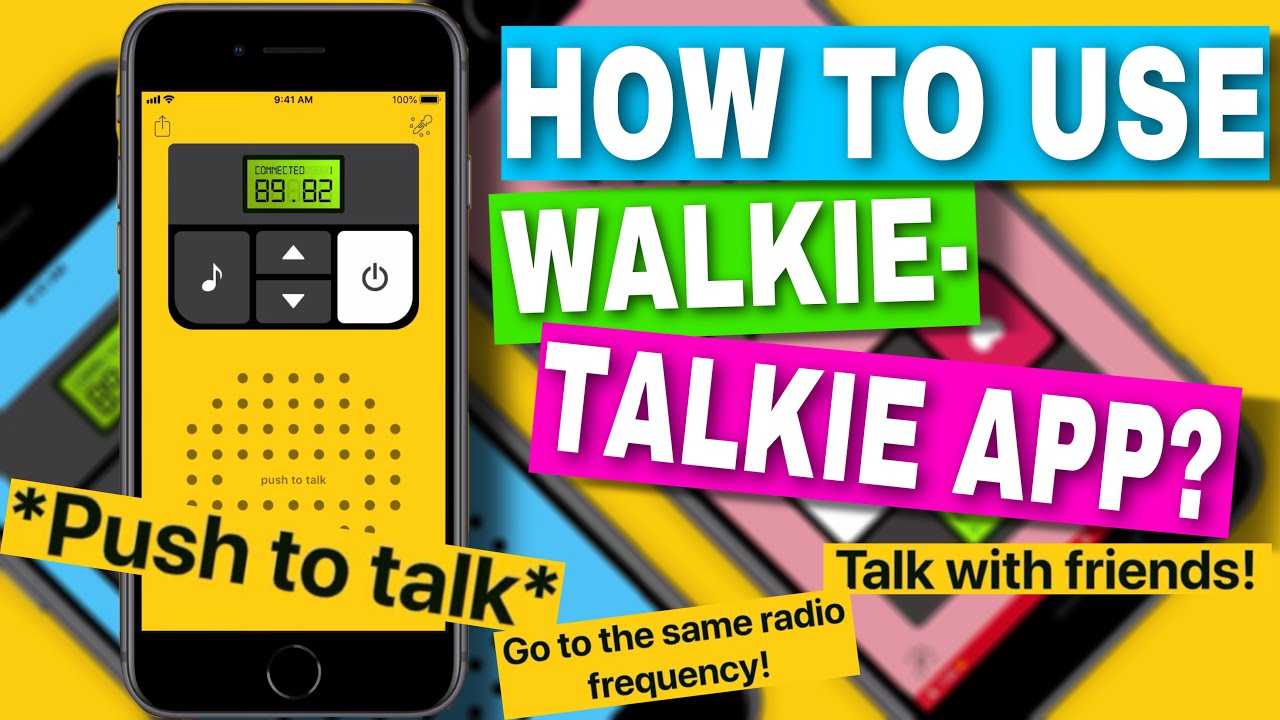
How To Use Walkie Talkie On Your Apple Watch
The Apple Watch Walkie-Talkie app is a popular, convenient tool for light, short-range, peer-to-peer communication among iPhone users.11 However, it is fundamentally different from a commercial two-way radio system.
Walk Through Enabling FaceTime, Opening the Walkie-Talkie App, and Availability Toggles.
To use the Apple Watch app, you must first have the following:
The FaceTime app must be enabled and set up on your iPhone.
The Walkie-Talkie app must be downloaded and installed on your Apple Watch.
To make yourself available, open the app on the Watch and tap the yellow toggle to set your status to “Available.”
Explain Network/Bluetooth/Wi-Fi Dependencies and Best Practice for Clear Audio.
The Apple Watch Walkie-Talkie is not a true two-way radio; it is a live-audio chat feature that relies entirely on a digital connection.
It requires a working Wi-Fi or cellular connection to the internet, or a Bluetooth connection to your paired iPhone.
The clear audio relies on a strong, consistent digital signal.
For best results, press and hold the button on the screen to talk, wait for the connection tone, and then speak clearly. Release the button immediately when you are done. Because it relies on digital networks, it is not suitable for off-grid or emergency communication where reliable internet or cell service is unavailable.
Selling Point: Invite Readers to Contact Support for a Quick Team Rollout Checklist That Speeds Employee Adoption of the Watch Walkie-Talkie Feature.
While we specialize in professional Motorola radio systems, we recognize many organizations also use the Apple Watch app for internal quick-chat. If you are rolling out this feature to a team, contact our support line for a Quick Team Rollout Checklist. This resource provides simple steps to speed up employee adoption, troubleshoot common connection issues, and integrate the Watch app into your existing professional communication strategy.
How To Add Friends To The Walkie-Talkie App?
Adding contacts to the app is simple but requires coordination between the Watch and the paired iPhone.
Show Sending/Accepting Invitations, Removing Contacts, and Notifications Behavior.
Sending Invitations: Open the Walkie-Talkie app on your Watch, tap the Plus (+) button, and select a contact from your list. They will receive an invitation.
Accepting Invitations: Your contact must tap the notification on their Watch to accept the invitation.
Removing Contacts: Swipe left on a contact’s name in the app and tap the “X” to remove them.
Notifications: When someone initiates a call, you receive an audio alert, and the conversation is instantly live. If you turn the “Available” toggle off, you will receive a notification that someone tried to call you, but you will not hear the live audio.
Provide Tips for Syncing Issues Between iPhone and Watch.
If the app is not syncing contacts or working correctly, ensure that your Apple Watch is running the latest watchOS and your iPhone is on the latest iOS. If issues persist, try restarting both devices. Remember, the app is non-functional if FaceTime is not active on your iPhone.
Midland Walkie Talkie Usage Guide
Midland is a popular brand, especially for consumer-grade FRS/GMRS radios used by families, hikers, and road trip groups.
Provide Menu Basics, Channel/Code Selection, Weather Scan, and NOAA Alerts.
Midland radios often have an intuitive menu system for channel selection.
Channel/Code Selection: Use the Menu button to cycle through settings. Select a main channel (usually 1–50) and then the privacy code (CTCSS/DCS).
Weather Scan: Many Midland models include a dedicated button or menu option to activate the Weather Scan function.13 This quickly checks for the nearest NOAA weather radio channel.
NOAA Alerts: Once tuned to a NOAA channel, enable the Alert feature to receive automatic audio warnings for severe weather, even if the radio is otherwise silent.
Note Midland-Specific Quirks (Key Lock, Call Tones) and Quick Pairing for Families.
Key Lock: Use the Key Lock feature (often a padlock icon) to prevent accidental channel changes while the radio is in a pocket or on a belt.
Call Tones: Instead of just saying “Over,” you can use a selectable Call Tone to audibly alert another user that you are trying to reach them.
Quick Pairing: Some newer Midland models feature a quick pairing function that synchronizes all radios in a group to the same channel and code with a single button press.
Motorola Walkie Talkie Setup Guide
Motorola, a leader in both consumer and professional two-way radio technology, offers a range of high-performance devices.14 This guide focuses on features common to their professional-grade licensed radios, which are ideal for security, facilities, and commercial use.
Cover Simple Mode Versus Advanced Menus, Shared Channel Presets, and Privacy Code Access.
Professional Motorola radios are often pre-programmed by a dealer like us to ensure FCC compliance.
Simple Mode vs. Advanced Menus: Many commercial models use a simple rotary channel selector, eliminating complex menus for everyday use. However, advanced settings for features like privacy codes are accessed through the programming software or a restricted menu designed for administrators.
Shared Channel Presets: Channels 1–7 are often set to low-power GMRS or FRS presets. Commercial-grade licensed channels (Part 90) are typically programmed into higher channel numbers (8 and up) to ensure licensed, clear communication.
Privacy Code Access: On professional radios, privacy codes (PL/DPL codes, the Motorola equivalents of CTCSS/DCS) are usually set during the programming phase by your dealer to ensure all radios in a fleet are consistent and secure from accidental changes.
Mention iVOX/VOX Hands-Free Setup and How to Stop “Stuck Transmit.”
iVOX/VOX Hands-Free Setup: The iVOX (or VOX) feature allows for voice-activated transmission when using an accessory like a headset or ear protection.15 This is vital for security or maintenance staff whose hands are frequently busy. You set a sensitivity level, and the radio transmits automatically when you begin to speak.
Stopping “Stuck Transmit”: A radio can become stuck in transmit mode (called a “hot mic”) if the PTT button is physically jammed or if the VOX setting is too sensitive. The only immediate fix is to power off the unit or, on some models, press a dedicated “emergency” or “reset” button. This is why professional PTT accessories are built to withstand rigorous use.
What Is Walkie Talkie?
The term “walkie talkie” is the common name for a handheld, portable two-way radio. It is an established and proven technology that remains the cornerstone of coordinated group communication.
Define a Handheld Two-Way Radio and Compare to Phones for Off-Grid, Instant Voice.
A walkie talkie is a two-way radio transceiver—a single, portable unit capable of both transmitting and receiving radio signals on a single frequency.
Instant Voice: Unlike a cell phone, which requires dialing, connecting, and only allows two people to speak, the walkie talkie provides instant group voice communication to everyone on the channel simultaneously.
Off-Grid: The most critical advantage is that it operates on its own dedicated radio frequency and does not require a cell tower or internet access to function.17 This makes it indispensable for disaster response, remote site operations, or large events where cell service is overwhelmed.
Distinguish Walkie Talkies from Professional Two-Way Systems and Repeaters.
While a simple handheld radio is a walkie talkie, the term also applies to the sophisticated equipment used by professional organizations.
| System Type | Description | Licensing Requirement |
| Consumer (FRS) | Low-power, short-range, unlicensed radios. | None required (FCC Part 95). |
| Commercial Handhelds | High-power, feature-rich radios (like Motorola solutions) often utilizing higher-quality hardware. | Required (FCC Part 90 or GMRS license). |
| Professional System | Consists of licensed handhelds, mobile units, and a centrally located, powerful Repeater for wide-area coverage. | Required (FCC Part 90 license for the business). |
This information is general and not legal advice. Always confirm details with the FCC (Federal Communications Commission) or a qualified radio licensing specialist. Commercial users, such as security teams, often require a licensed system for the necessary power and dedicated frequencies.
What Are Walkie Talkies Used For?
The core value of a two-way radio is instant coordination and enhanced safety, making it a critical tool across dozens of industries.
List Common Scenarios: Events, Construction, Hiking, Road Trips, Retail, and Families.
Walkie talkies are used wherever reliable, instant group communication is needed, including:
Event Management: Coordinating staff, security, and vendors at concerts, conferences, or festivals.
Construction Sites: Communication between tower crane operators and ground crews where noise levels are too high for phones.
Retail & Hospitality: Coordinating housekeeping, maintenance, and front-desk staff in large hotels or multi-floor retail stores.
Church Security: Maintaining communication between the parking lot team, sanctuary security, and children’s ministry staff across a wide campus.
Industrial Facilities: Ensuring safety and efficiency in manufacturing plants and warehouses.
Road Trips/Hiking: Simple communication where cellular service is spotty or unavailable.
Explain Why Instant Group Comms Improve Safety and Coordination.
The instant-on nature of the radio is vital for safety.
In an emergency, seconds matter. A security team can instantly alert all members about an incident or a medical crisis without having to dial a phone or wait for a text.
For complex tasks, group communication allows supervisors to send instructions to an entire team at once, ensuring everyone operates from the same playbook, improving coordination and efficiency.
How To Use Walkie Talkie In Lethal Company?
While our focus is on professional Motorola and other commercial systems, the popularity of the game Lethal Company has introduced many to the concept of two-way radio use.
Explain Where the Radio Is Found, Equipping It, and Push-to-Talk Basics in the Game.
In Lethal Company, the in-game radio is a resource you must find and purchase.
Found/Purchased: The radio is a purchasable tool that serves as the primary long-distance communication method between players inside the facility and those on the ship.
Equipping It: You must have the radio in your hands (equipped) to use it.
Push-to-Talk Basics: Communication is handled via an assigned Push-to-Talk key, mimicking real-world radio operation where you must press to speak.
Share Teamwork Callouts and How to Avoid Cross-Talk or Missed Calls During Missions.
Effective teamwork in the game requires real-world communication skills.
Teamwork Callouts: Use short, informative callouts like “Unit has a safe” or “Spotted coil-head, retreat.” Do not waste the limited radio battery or air time with idle chatter.
Avoiding Cross-Talk: Because it is a game, players often forget the simplex rule. Ensure only one person speaks at a time to prevent audio from cutting out (cross-talk), especially when relaying critical information.
Missed Calls: If the Ship player is talking to the facility team, they must stop transmitting to hear the reply, just as in real life.
Frequently Asked Questions About How To Use Walkie Talkie
How To Use Walkie Talkie For Clear And Reliable Communication?
To ensure clear and reliable communication: Invest in the right equipment, follow the etiquette, and ensure proper setup.
Use Licensed Radios: For professional, reliable use across a facility, use licensed radios (Part 90) with high transmission power and quality components.
UHF for Indoors: Choose UHF radios if the majority of your communication takes place inside buildings.
Practice Protocol: Always use the “Recipient, This is Sender, Over” protocol to clearly identify who is talking and who should be listening.
How To Follow Walkie Talkie Etiquette During Team Communication?
Brevity: Keep messages short and to the point.
Listen First: Never transmit while others are speaking. Wait for the channel to be clear.
Acknowledge: Always confirm receipt of a message with “Copy” or “Roger” so the sender knows their message got through.