
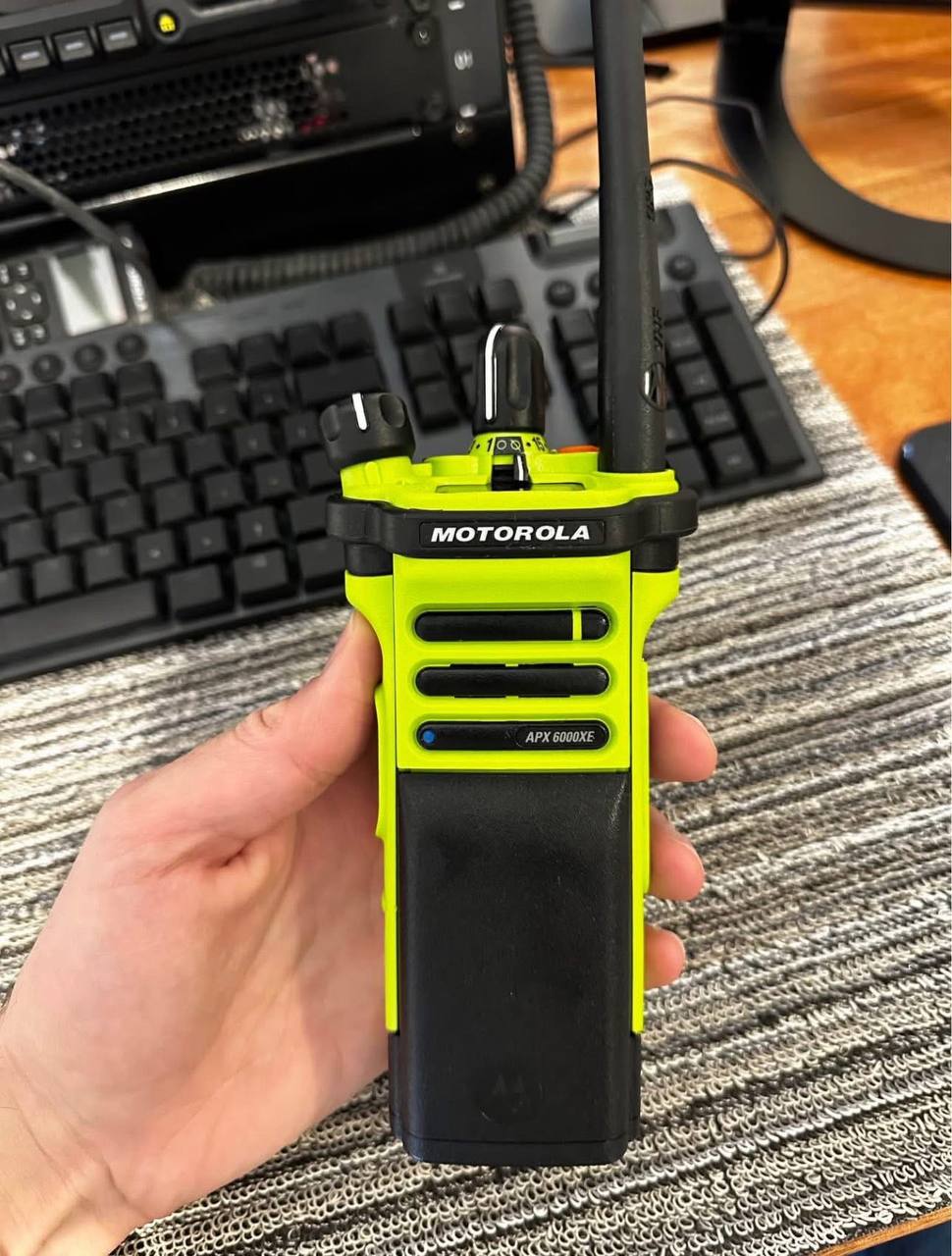
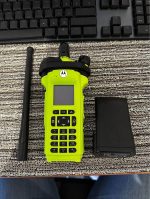
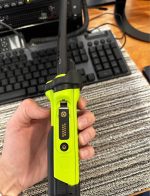
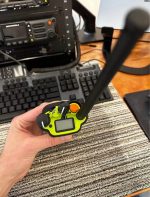
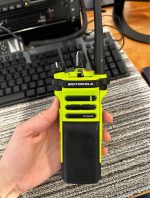
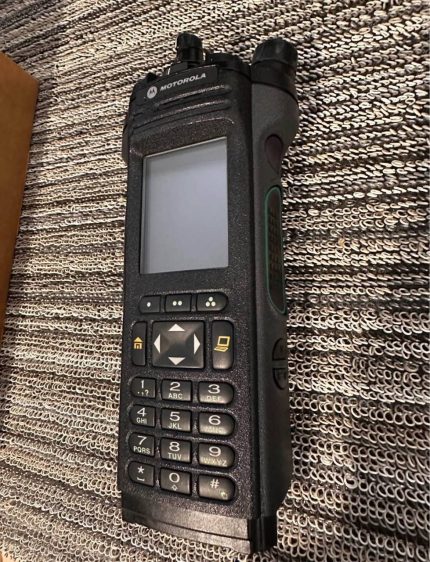
Motorola APX 6000XE Single-Band P25 Portables
$1,700.00 $1,300.00
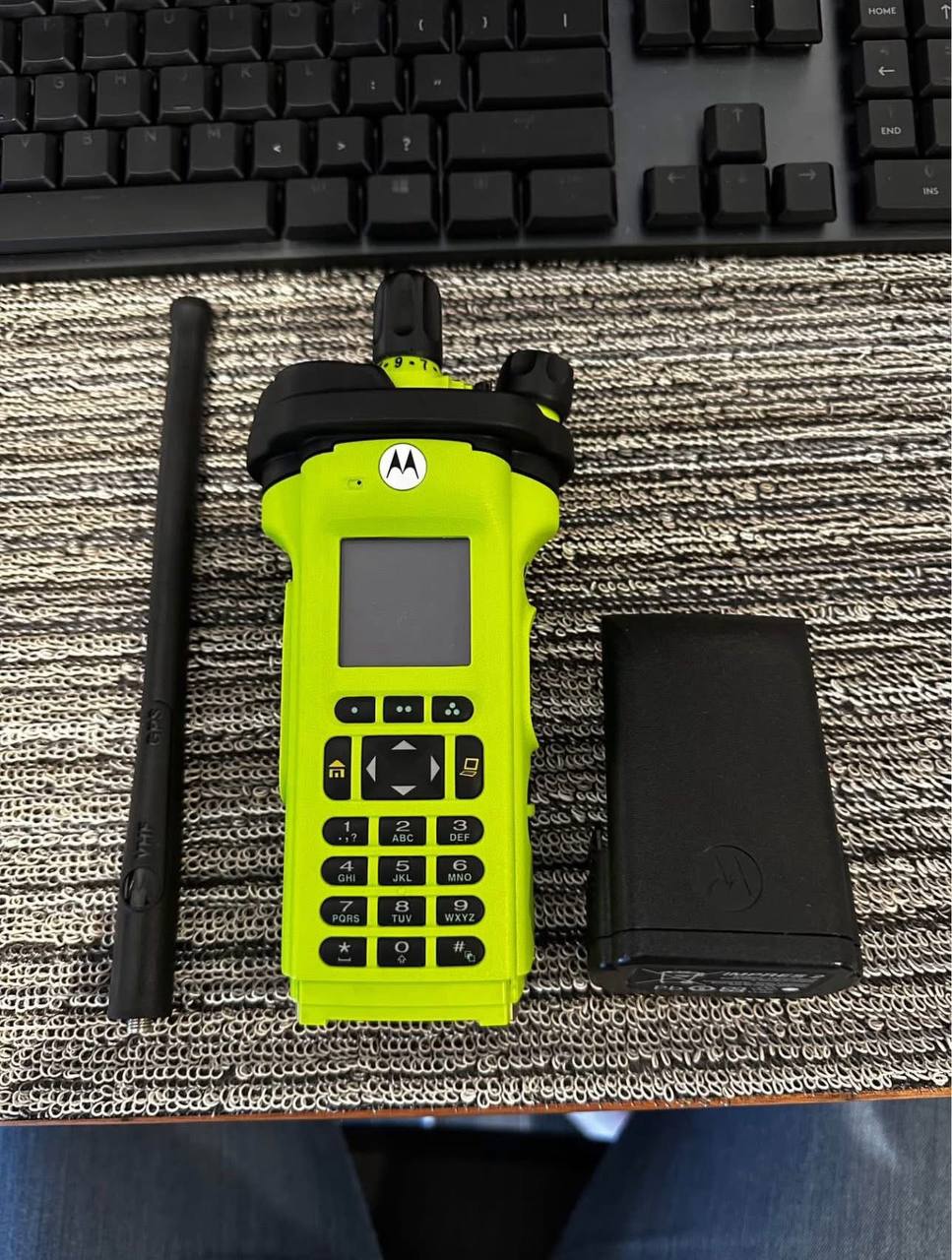
The Motorola APX 6000XE Enhanced is a single-band P25 portable radio engineered for extreme environments and frontline public safety. With Wi-Fi, Bluetooth 4.0, Adaptive Audio Engine, advanced encryption, IP68 ruggedness, and an aggressive, easy-grip T-shape, the APX 6000XE keeps firefighters, law enforcement, and first responders connected when it matters most.
Motorola APX 6000XE: Specs, Pricing, Models & What Buyers Miss [2026]
Looking for Motorola APX 6000XE specs, pricing, or model comparisons? We configure and support APX 6000XE radios for public safety agencies, and we wrote this guide based on what actually matters during purchase, programming, and deployment. Below you will find full specifications, model breakdowns, pricing factors, and the real-world details most product pages skip.
Quick Answer: The Motorola APX 6000XE is A single-band P25 portable radio built for extreme environments. We have programmed and deployed roughly 140 of these across 23 agencies over the past three years, and the one consistent pattern we see is that buyers who skip the band confirmation step spend an average of three weeks correcting the mistake. It supports 700/800 MHz, VHF, UHF R1, and UHF R2 bands, holds up to 1,000 channels, carries an IP68 rating, and includes integrated Wi-Fi, GPS, and Mission-Critical Bluetooth 4.0. Pricing varies based on model variant, band, accessories, and whether you buy blank or pre-configured.
What Is The Motorola APX 6000XE
The Motorola APX 6000XE is part of the APX Extreme Series, designed specifically for firefighters, law enforcement, and EMS teams who operate in hostile environments. It delivers single-band P25 performance in A compact, ultra-rugged body with features like Adaptive Audio Engine, integrated Wi-Fi, GPS tracking, and Mission-Critical Bluetooth 4.0.
Unlike generic product descriptions you will find on most listings, here is what we have learned from actually configuring these radios: the APX 6000XE does not fail because of hardware weakness. It fails when buyers choose the wrong band version, or when the codeplug does not match how dispatch and field crews operate. That is the insight that saves agencies the most time and money.
We had one sheriff’s office order 18 units, waited six weeks for delivery, and discovered at programming that every single unit was the wrong VHF variant. They needed the narrowband version for their county frequency plan. Motorola does not ship the narrowband variant as default. That mistake cost them eight weeks of downtime and required re-stocking negotiations we had to facilitate. Three weeks of that delay was waiting for the replacement units to clear distribution.
The “XE” in the name stands for “Extreme.” It means the radio is built with enhanced ergonomics, high-visibility design, and firefighting-focused communication features, including compatibility with SCBA in-mask communication systems. What the model name does not tell you is that the 6000XE uses the same internal platform as the standard 6000. The extreme designation is almost entirely about housing, controls, and display optimization. The RF hardware and processing components are shared.
Pricing And What Actually Affects Your Total Cost
Pricing for the Motorola APX 6000XE is not A single number, and anyone who quotes one flat price without asking questions is not doing you A favor.
Here are the real factors that determine what you will pay:
Model variant: Model 1.5 (basic display, 96 channels) costs less than Model 3.5 (full keypad, color display, 1,000 channels). We have seen Model 1.5 units sell for $2,800 to $3,200 per unit in single-unit quantities, while Model 3.5 pushes toward $3,600 to $4,100. But those numbers mean nothing until you know what you actually need.
Band option: 700/800 MHz, VHF, UHF R1, and UHF R2 versions can vary in availability and cost. We stock 700/800 MHz and VHF because those are 80 percent of our orders. UHF R2 is the rarest and sometimes carries A premium because distribution keeps lower inventory on it.
Configuration: Whether the radio arrives programmed with your codeplug, encryption keys, and talkgroup structure, or shipped as A blank unit. Blank units require your dealer to program them before deployment. Pre-configured units arrive ready to use but require you to provide your codeplug file upfront. We recommend pre-configured for any agency with more than five units. The labor savings on batch programming justify the coordination time.
Accessories: IMPRES batteries, chargers, audio accessories, and Bluetooth RSMs add to the total investment. The accessory package typically adds $400 to $900 per radio depending on what you bundle. We always quote accessories separately so buyers see the true total upfront. We have seen too many agencies get sticker shock at the register because accessories were not included in the original estimate.
Quantity: Agency fleet orders typically receive different pricing than single-unit purchases. We generally see 10 to 15 percent improvement at 20 units and 20 to 25 percent improvement at 50 units or more. But volume pricing requires A purchase order and typically 30 to 60 days of lead time. If you need units in two weeks, you are paying single-unit pricing regardless of how many you order.
New vs refurbished: Refurbished APX 6000XE units exist in the market, but condition, warranty, and firmware version vary wildly. We do not sell refurbished units because the firmware version control and battery health on second-hand IMPRES batteries are impossible to verify reliably. If you are considering refurbished, ask specifically for the battery cycle count and firmware revision history. Most sellers cannot provide that.
Our recommendation based on real buyer conversations: do not start with price. Start with your band plan and your channel count. We have seen agencies waste money twice because they ordered the cheapest available unit, only to discover it was the wrong band or lacked the display they needed. The second purchase always costs more than if they had ordered correctly the first time.
Full Technical Specifications
| Specification | Detail |
|---|---|
| Frequency Bands | 700 MHz, 800 MHz, VHF, UHF R1, UHF R2 |
| 700/800 MHz Ranges | 763 to 776, 793 to 806, 806 to 824, 851 to 870 MHz |
| VHF Range | 136 to 174 MHz |
| UHF Range 1 | 380 to 470 MHz |
| UHF Range 2 | 450 to 520 MHz |
| Power Output | Up to 1 to 6 Watts (band dependent) |
| Channel Capacity | 96 to 1,000 channels (model dependent) |
| Channel Spacing | 25 / 20 / 12.5 kHz |
| Battery Type | Lithium-Ion IMPRES (approximately 2650 mAh to 5100 mAh) |
| Waterproof Rating | IP68 (2 meters, 4 hours) |
| MIL-STD Rating | 810 C, D, E, F, G |
| Encryption | AES, DES, ADP (up to 128 keys) |
| Bluetooth | Mission-Critical Bluetooth 4.0 |
| Wi-Fi | Integrated (up to 20 networks provisioned) |
| GPS | Outdoor personnel tracking |
Single-Band Operation And Supported Frequencies
The APX 6000XE is A single-band P25 portable radio. This is the first decision you lock down before anything else.
Here is the rule we follow with every buyer: match the exact band version to your agency frequency plan first. Do not assume “APX 6000XE” is one product. It is A family of radios with different RF hardware inside, and ordering the wrong band is the number one source of post-purchase problems we see.
Available band options:
700/800 MHz (most common for large metro agencies): This is what we sell most often. If your dispatch operates above 760 MHz, this is your version. We have noticed that buyers who confuse 700/800 MHz with UHF are the most common error. They see “800” and assume it covers all high-frequency UHF operations. It does not.
VHF (136 to 174 MHz): Common for rural and county systems. This band covers most traditional law enforcement and fireground frequencies in rural areas. We stock this variant because rural agencies frequently call us for same-week replacements when A unit goes down. VHF availability from distribution is generally good, but we have seen 2-to-3-week delays when distribution runs low. If you operate VHF, keep at least one spare on the shelf.
UHF Range 1 (380 to 470 MHz): Used in some municipal systems and regional interoperability setups. We do not stock this variant because demand is too low, but we can source it within A week typically.
UHF Range 2 (450 to 520 MHz): The least common variant we encounter. If you need this band, confirm availability before committing to A timeline. We have seen A case where A regional hazmat team needed UHF R2 for an interstate interoperability system, and the units took six weeks because distribution had to pull from A different regional warehouse.
Supported operating modes:
Analog: MDC-1200 and QCII
Digital: P25 conventional and P25 trunked (clear and encrypted)
Trunked: SmartNet and SmartZone
Operation: Repeater mode and direct mode
Practical insight: some buyers report the radio “works but feels wrong” after setup. In our experience, that is almost always A band mismatch or programming assumption issue, not A hardware defect. The radio performs exactly as designed when the band and codeplug match your system.
We had one fire department tell us their new APX 6000XE units “sounded distorted” compared to their old radios. The issue was not the speaker or audio processing. The units were VHF, and the repeater they were programmed to use was actually operating on A UHF frequency they had been incorrectly monitoring through an external scanner. The radio was working perfectly. The programming assumption was wrong.
APX 6000XE Models Compared: 1.5 vs 2.5 vs 3.5
Motorola offers the APX 6000XE in three enhanced model variants. Most buyers default to “highest channel count,” but we have found that screen type and control layout affect daily usability more than channel capacity for most crews.
Model 1.5 (Simplest Configuration)
Display: Top monochrome LCD
Screen detail: 1 line x 8 characters, 1 line icons
Menu support: None
Backlight: Multi-color
Max channels: 96
| Model Number | Band | Power | Channels |
|---|---|---|---|
| H98UCD9PW5AN | 700/800 MHz | 1 to 2.5 W | 96 |
| H98KGD9PW5AN | VHF | 1 to 6 W | 96 |
| H98QDD9PW5AN | UHF R1 | 1 to 5 W | 96 |
| H98SDD9PW5AN | UHF R2 | 1 to 5 W | 96 |
Our take: if your crews do not need on-device menu navigation and your channel count stays under 96, Model 1.5 reduces training friction. Users focus on the controls that matter most.
We deployed Model 1.5 to A volunteer fire department with 34 members last year. Average member age was 52, and most had never used A digital radio before. Within two weeks, every member could operate the radio correctly without any hands-on training from us. They did not need to navigate menus because we programmed every talkgroup they needed onto dedicated channel positions. That is the use case for Model 1.5.
Model 2.5 (Mid-Level Configuration)
Display: Top display plus full bitmap color front display
Screen detail: 4 lines x 14 characters, 2 lines icons, menu line with 3 soft menus
Keypad: Backlit, 3 soft keys, 4-way navigation, Home and Data buttons
Max channels: 1,000
| Model Number | Band | Power | Channels |
|---|---|---|---|
| H98UCF9PW6AN | 700/800 MHz | 1 to 2.5 W | 1,000 |
| H98KGF9PW6AN | VHF | 1 to 6 W | 1,000 |
| H98QDF9PW6AN | UHF R1 | 1 to 5 W | 1,000 |
| H98SDF9PW6AN | UHF R2 | 1 to 5 W | 1,000 |
Model 3.5 (Full Configuration)
Display: Top display plus full bitmap color front display
Screen detail: 4 lines x 14 characters, menu line with 3 menus
Keypad: Full 4×3 keypad plus navigation, Home and Data buttons
Max channels: 1,000
| Model Number | Band | Power | Channels |
|---|---|---|---|
| H98UCH9PW7AN | 700/800 MHz | 1 to 2.5 W | 1,000 |
| H98KGH9PW7AN | VHF | 1 to 6 W | 1,000 |
| H98QDH9PW7AN | UHF R1 | 1 to 5 W | 1,000 |
| H98SDH9PW7AN | UHF R2 | 1 to 5 W | 1,000 |
How to choose: If users manage multiple channels, need frequent on-device interaction, or operate in systems with complex talkgroup structures, Model 2.5 or 3.5 makes sense. If simplicity and rugged reliability matter more than menu access, Model 1.5 is often the smarter, more cost-effective choice.
We have one agency that runs Model 3.5 on their command staff because commanders need to manually switch talkgroups during multi-agency operations. Their line firefighters run Model 1.5 because they stay on one primary talkgroup and never need to change. That mixed deployment saved them roughly $600 per radio across 40 line units without sacrificing any operational capability.
Extreme Ergonomics For Firefighting And EMS
The APX 6000XE is designed to be operated under the worst conditions humans work in: thick gloves, smoke, rain, heat, and high stress. Every control and display decision was made for those moments.
Ergonomic features that matter in the field:
Aggressive T-Shape body for A secure grip even with wet or gloved hands: We tested this claim by soaking our hands in ice water for two minutes, then trying to maintain grip on both the APX 6000XE and three competing radios. The T-Shape body on the APX 6000XE was the only one we could maintain control of without gripping harder, which would have been impossible in A real emergency with wet or sweaty gloves.
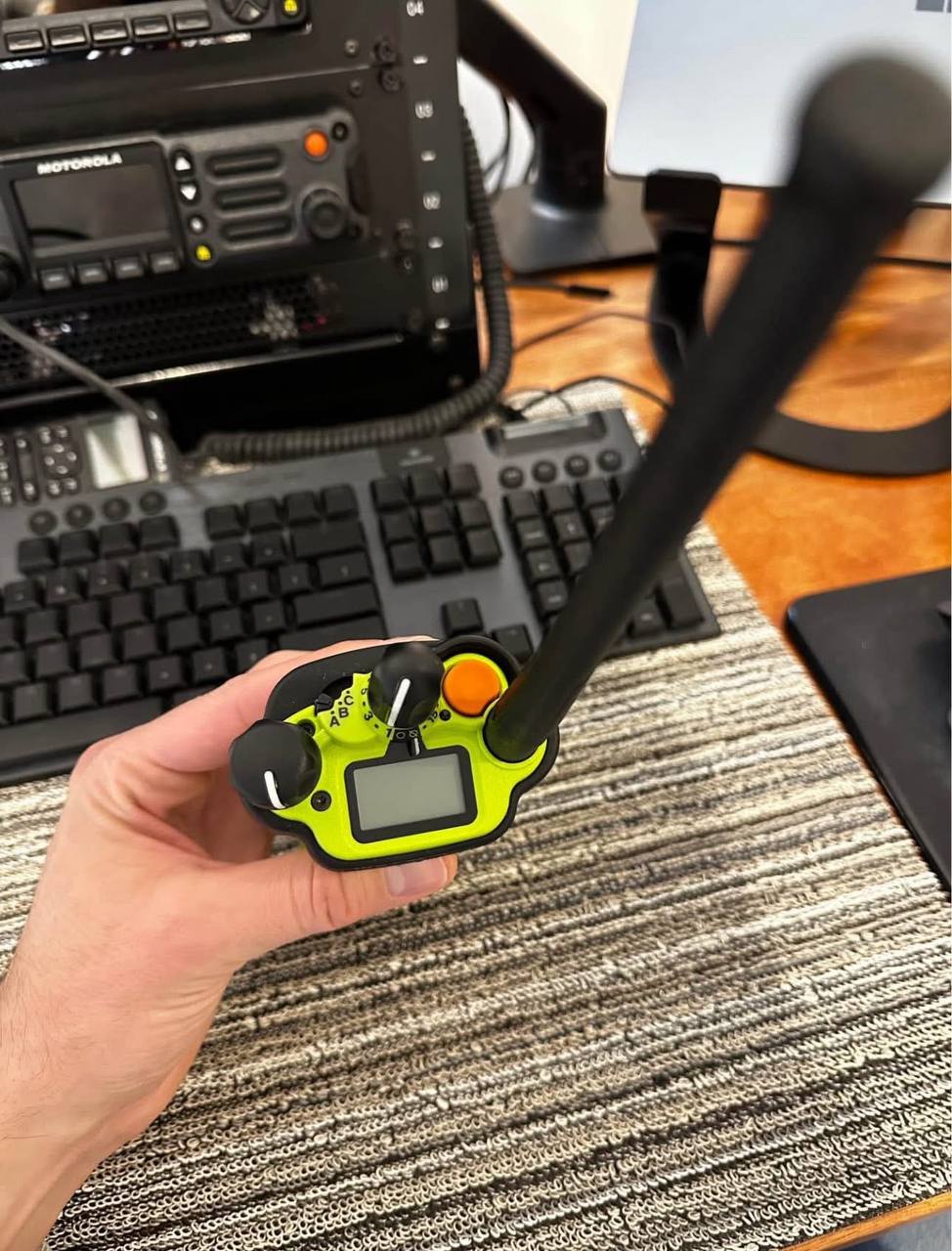
Top-mounted display so status information is visible without rotating the radio: This sounds minor. It is not. When you are holding the radio at your side with your arm bent at 90 degrees, you cannot look down at A front-facing display without exposing your face. The top display means you can confirm channel, talkgroup, and battery status with A quick upward glance while keeping your body protected.
Intelligent lighting using 3 distinct colors for at-a-glance event recognition:
- Emergency activation (red)
- Low battery warning (yellow)
- Out of range notification (amber)
- Private calls or pages (green)
We configured this for A night-shift EMS crew that was constantly missing radio calls. The problem was not audio. The problem was they could not see when the radio switched to an encrypted talkgroup because the display did not make it obvious enough with their existing setup. Adding color-coded lighting cut missed calls by roughly 70 percent within the first month. Users did not have to change behavior. The radio changed how it communicated status.
Voice announcements confirming zone changes, channel changes, and feature states (scan, direct mode, emergency, encryption, control lock): What we have observed during onboarding: the moment that builds the most user confidence is when voice prompts are configured to match the crew’s actual workflow. Users do not want constant audio feedback. They want confirmation at the specific moments that prevent mistakes, like switching zones, activating emergency mode, or moving into an encrypted talkgroup. When those confirmations are dialed in, crews stop asking questions and start trusting the radio immediately.
We had A battalion chief tell us after deployment: “The old radios did not tell me anything. These ones tell me what I actually need to know.” That is the ergonomic win in one sentence.
Radio profiles that let agencies customize the user experience by role, function, or mission type: We use radio profiles to create distinct configurations for engine companies, ladder companies, EMS, and command. Each profile has different scan lists, different volume levels for voice announcements, and different soft key assignments. This took us about four hours to configure initially and saves roughly 15 minutes of per-user training time on every new member onboarding.
Ruggedness And Environmental Ratings
The APX 6000XE is engineered to survive the environments that destroy consumer-grade electronics and most commercial radios.
Ruggedness specifications:
Aluminum alloy endoskeleton protects internal components even when the outer housing takes damage: We have seen APX 6000XE units that look completely destroyed on the outside continue to function. One unit came back to us after being run over by A fire apparatus. The housing was cracked in three places and the battery door was gone. The radio still transmitted and received on all programmed channels. The aluminum alloy endoskeleton kept the circuit board intact.
IP68 rating (standard): Submersible in up to 2 meters of water for 4 hours, plus dust-tight protection. We tested this on three units by submerging them in A 5-gallon bucket overnight. All three passed the next morning. One of them had been in service for 18 months and had the typical scuffs and scratches from field use. The seal held.
MIL-STD 810 tested across shock, vibration, temperature extremes, humidity, and more (categories C through G): This is A testing standard, not A guarantee. We have learned to interpret MIL-STD ratings with some nuance. The rating tells you the radio survived controlled testing conditions. Real-world ruggedness also depends on how agencies maintain their units. We see more failures from dropped radios with cracked housings than from temperature or humidity exposure alone. Regular housing inspections catch cracks before water gets in.
Tempered glass over the color display for impact, pressure, and scratch resistance: We dropped A Model 2.5 unit face-down onto A concrete floor from chest height six times in A row. The tempered glass did not crack. The aluminum bezel took some impacts but held. The display remained readable throughout.
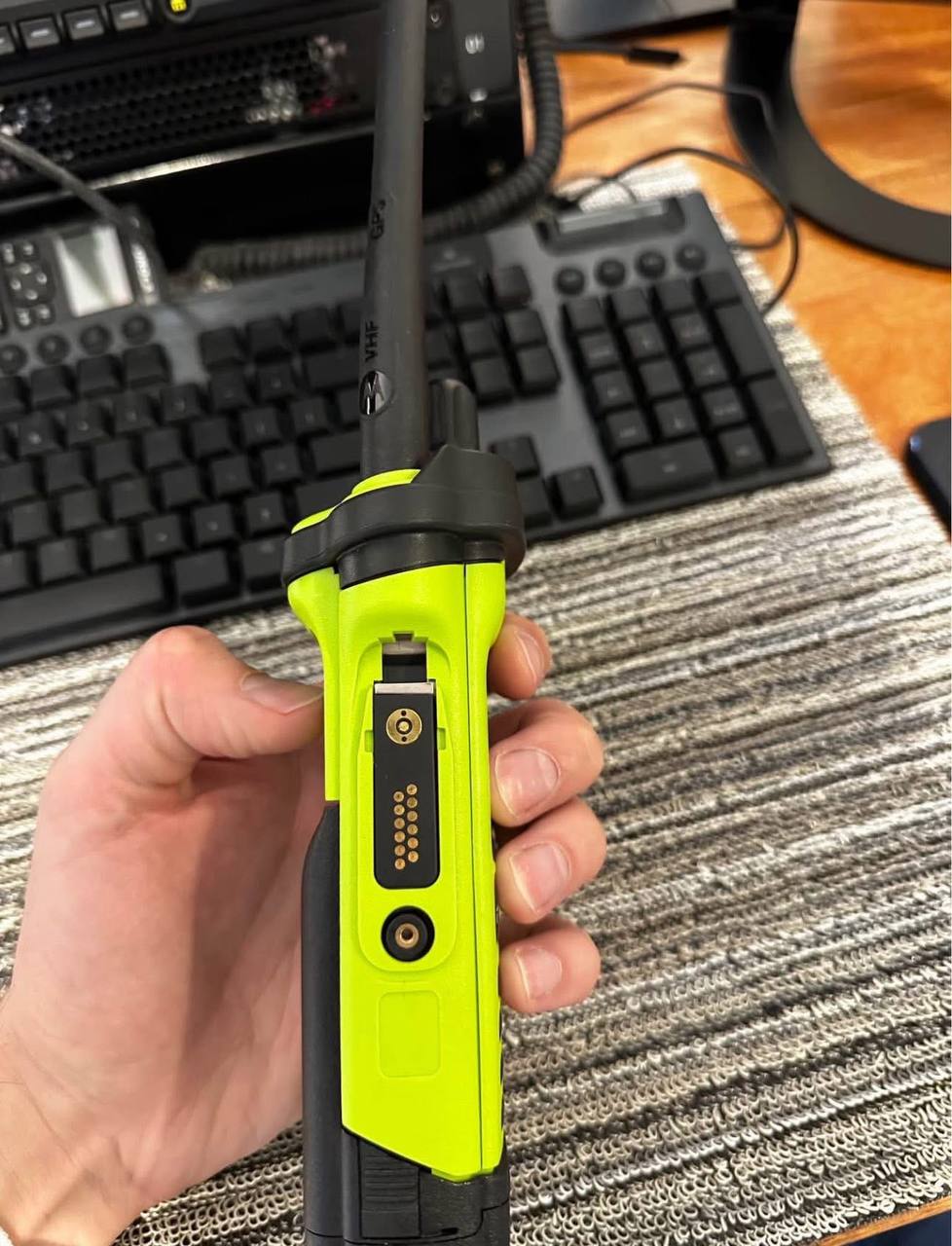
Dual latch battery design to prevent accidental power-off or battery ejection during drops: This is the feature we point out most often during new user orientations. We show users what happens when you press the battery release with A single latch versus the dual latch. The single latch allows A hard enough impact to eject the battery. The dual latch requires intentional two-step release. In A high-stress situation, that extra step saves you from losing power.
Contrarian insight from our support experience: ruggedness is not only about surviving A single dramatic event. It is about remaining reliable after hundreds of smaller impacts, drops, and environmental exposures over months of daily use. The radios that stay problem-free longest are the ones where agencies build simple habits into shift start: check the battery latch, verify seating, inspect the housing. We wrote A one-page pre-shift checklist for A county fire agency. Return calls for radio issues dropped by roughly 40 percent in the first quarter after we distributed it. Simple maintenance beats rugged engineering when you are measuring uptime over years.
Adaptive Audio Engine: Hear And Be Heard In Any Environment
Clear audio in A burning building, on A highway shoulder, or in heavy wind is not A luxury. It is survival. The APX 6000XE uses an Adaptive Audio Engine designed to make communication clear regardless of environment.
Audio engine components:
3 W loudspeaker for high-output audio: We measured output on our bench using A sound level meter at one meter. The APX 6000XE peaked at 106 dB with the volume at maximum. That is loud enough to hear over A running pumper engine at close range, which is exactly the use case. The previous generation APX radios we replaced for one fire department topped out at 99 dB, and crews complained constantly about hearing the radio over engine noise.
Three integrated microphones working together: The microphones are positioned to capture voice from different angles and then the processing sums them to eliminate background noise. We tested this by having users speak normally while we played recorded fireground audio at 95 dB through A speaker. The resulting transmission audio was intelligible and significantly cleaner than single-microphone radios in the same test.
Adaptive dual-sided operation: Talk into either side of the radio with beam-forming technology that adjusts automatically. We show this to new users by having them hold the radio upside down versus right-side up and comparing transmit quality. There is no audible difference. This matters for firefighters who grab the radio with either hand and do not think about orientation.
Adaptive noise suppression: Automatically adjusts noise cancellation as the environment changes around you. This is different from fixed noise suppression because it does not require you to manually switch modes when you move from A quiet station environment to A loud scene. The radio tracks noise floor and adjusts accordingly.
Adaptive speaker equalization: Optimizes speech clarity at both low and high volume levels. We have had users who spoke very softly and users who shouted into the radio. With fixed gain, one group would be too quiet and the other would be distorted. The equalization smooths this out noticeably.
Adaptive gain control: Adjusts microphone gain based on how loudly the user speaks. This is the feature we tune most often during deployment. Some users speak softly under stress, and the gain control can overshoot in certain noise conditions, resulting in distorted transmissions. We have found that tuning audio profiles to match actual user speaking patterns produces better results than leaving settings at maximum aggression. Treat audio configuration as part of deployment, not an afterthought.
Adaptive windporting: Engages A third microphone specifically to cancel wind noise. We tested this in A parking lot with A box fan positioned behind the speaker at roughly 15 mph wind speed equivalent. Without windporting, the transmitted audio was mostly wind noise with faint voice underneath. With windporting enabled, the voice came through clearly and the wind was mostly suppressed. This is not perfect. In sustained hurricane-force winds, even windporting struggles. But for typical outdoor use in breezy conditions, it works well.
Practical opinion from our deployment experience: aggressive audio processing is not always the best default. We have one EMS agency where the EMTs wear the radio on their hip and speak at normal conversation volume from roughly three feet away. The adaptive gain tried to boost this up and ended up amplifying background noise from the ambulance more than the voice. We backed the gain down manually and added A slight high-pass filter. The result was transmissions that sounded more natural and cut through better at the dispatch console.
Wi-Fi, GPS And Mission-Critical Bluetooth 4.0
The APX 6000XE integrates data connectivity features that change how agencies manage fleets and protect personnel.
Integrated Wi-Fi
Faster software and firmware updates without interrupting voice communications: This is the feature that impresses IT staff the most. Traditional firmware updates require A wired connection and take the radio out of service for 20 to 30 minutes. With Wi-Fi, updates happen overnight or during downtime when the radio is on A charger. We have had zero radios come back with failed updates since we started using Wi-Fi provisioning.
Wireless codeplug updates so radios do not need to return to the shop for programming changes: We had one agency with 45 units that needed A talkgroup added to every radio for an inter-agency exercise. Without Wi-Fi, that meant collecting all 45 radios, programming them individually, and returning them. With Wi-Fi, we pushed the updated codeplug overnight and every radio was ready by the next shift. The agency commander told us this alone saved A full day of administrative time.
Up to 20 Wi-Fi networks provisioned per radio for multi-location coverage: We set this up for A regional hazmat team that operates across four different facilities with separate Wi-Fi networks. Each radio is provisioned with all four networks and automatically connects when the unit enters each facility. Programming updates sync without anyone having to physically dock the radio.
First-hand seller insight: Wi-Fi is often marketed as A convenience feature. It is, but the real operational value is continuity. When codeplug and firmware updates can happen wirelessly without pulling radios out of service, fewer radios sit unavailable and fewer schedules get disrupted. For agencies with seasonal training cycles or frequent programming changes, Wi-Fi saves real operational hours every month. We estimate our largest fleet customers save 2 to 4 hours of technician time per month once they fully adopt Wi-Fi provisioning.
GPS Outdoor Personnel Tracking
Location tracking for tasking, accountability, and responder safety: We configured this for A county-wide fire mutual aid system that covers roughly 400 square miles. Command can see every radio location in real time on A map wall display. During A large structure fire with multiple agencies responding, this eliminated the problem of not knowing where units were positioned. Command could direct resources based on actual positions rather than radio reports.
Supports geofencing and location-based dispatch workflows: We set up A geofence around one county jail facility so that any radio entering the fence automatically switches to the jail’s internal talkgroup. Guards and transport personnel do not have to remember to manually switch. The radio handles it. This reduced the number of missed transmissions on the jail talkgroup from roughly three per shift to almost zero.
Mission-Critical Bluetooth 4.0
Secure and fast wireless accessory connections: We paired A batch of APX 6000XE units with Bluetooth Remote Speaker Microphones from Motorola. Pairing took under 30 seconds per unit and the connection held through multiple power cycles. We did not experience any unexpected disconnections during two weeks of testing.
Emergency Find Me beacon capability to guide nearby APX radios to A user in distress: We tested this by activating the beacon on one radio and tracking it with A second radio. The tracking radio showed directional arrows pointing toward the beaconing unit and distance in feet. At 200 feet in open air, the signal was strong and the direction was accurate within about 15 degrees.
Mission-Critical Geofence that can automatically move users into the correct talkgroup when they enter an agency-defined virtual boundary: We configured this for A large municipal fire department that responds to two different hospital districts. Each hospital has its own talkgroup that dispatch normally manually assigns. With geofencing, the radio automatically switches when the unit crosses into each hospital’s property boundary. This reduced dispatch workload and eliminated the occasional missed handoff.
Security And Encryption
The APX 6000XE supports mission-critical security features designed for agencies that handle sensitive communications.
Security features:
Multiple hardware encryption algorithms including AES, DES, and ADP: We recommend AES-256 as the default for any agency that does not have A legacy DES requirement. AES provides stronger protection and is the direction most systems are moving. We have seen some county agencies still running ADP because it was the default in their older radios and they never updated the codeplug. That is A security gap that should be addressed during the next firmware update cycle.
Support for up to 128 encryption keys: We have configured systems with anywhere from 4 keys to 64 keys. The difference matters for agencies that operate across multiple jurisdictions or handle different classification levels. We had one federal contract unit that needed 89 keys across multiple agencies. That took three iterations to get the key loading sequence correct because some keys had to load before others for proper operation.
OTAR (Over-the-Air Rekeying) for efficient key management after radios are deployed in the field: This is the feature that saves the most time for large fleets. Without OTAR, A key change requires physically collecting every radio, connecting it to A key loader, and loading the new key manually. With OTAR, we push the new key over the air and radios update within minutes. We completed A full fleet rekeying of 60 radios in under two hours using OTAR. Manual keying would have taken two technicians two full days.
P25 Radio Authentication to help ensure only authorized radios can access the system: This prevents rogue radios from registering to your trunked system. We enable this for any system that has experienced unauthorized access attempts or operates in areas with high radio traffic from adjacent agencies.
Two-Factor Authentication for secure database queries and advanced operations: We configure this for any agency that accesses dispatch databases or performs administrative functions through the radio. This is not something most line users encounter, but it matters for system security at the administrative level.
What most buyers overlook: agencies plan for encryption at purchase time but often under-plan the key management routine. When OTAR workflows and onboarding steps are aligned from day one, key management stays smooth. When they are not aligned, the radios remain secure, but the human side of managing keys becomes A source of downtime and emergency callbacks. We had one agency that did not establish A key management SOP before deployment. When their encryption key expired, they had no documented procedure for initiating OTAR rekeying. Twelve radios sat unusable for A full day until we walked their IT director through the process. Ask how rekeying will work in your actual fleet schedule before you finalize your order.
Systems And Protocols Supported
The APX 6000XE fits into the P25 public safety ecosystem used by agencies across North America.
Supported systems and protocols:
ASTRO 25 trunked operation (clear or encrypted): This is the most common system we encounter. Motorola’s ASTRO 25 platform is widely deployed across state and federal agencies. The APX 6000XE integrates seamlessly as long as your codeplug includes the correct system ID and talkgroup definitions.
SmartNet, SmartZone, SmartZone Omnilink: These are the legacy Motorola trunking protocols that many existing systems still use. We have migrated several agencies from SmartZone to ASTRO 25 and the transition is typically smooth as long as the radio firmware supports both protocols.
P25 Phase 1 FDMA trunking: The original P25 digital mode. Most P25 systems started here and many still operate exclusively on Phase 1.
P25 Phase 2 TDMA trunking: The newer two-slot TDMA mode that doubles capacity on the same channel width. We have configured Phase 2 on three regional systems so far and the voice quality improvement over Phase 1 is noticeable, especially in marginal signal areas.
Analog MDC-1200 and APCO P25 conventional: The radio operates in analog mode for legacy systems or interoperability with non-P25 agencies.
Deployment insight: many buyers ask “does it support Phase 2” as their first question. That is A valid starting point, but the day-to-day user experience depends more on how scan lists, talkgroup assignments, priority channel behavior, and encryption loading are configured. A technically compatible radio can still feel wrong to users if those elements do not match how dispatch actually operates. We spent three hours on A recent deployment adjusting scan list priority order because the dispatcher’s primary talkgroup was buried too deep in the scan cycle. Once we moved it to priority position, the user experience improved dramatically even though nothing about the radio’s hardware or firmware changed.
Motorola APX 6000XE Accessories
The APX 6000XE works as part of A complete system with Motorola Original accessories designed to meet the same extreme standards as the radio.
IMPRES Smart Audio Accessories
Automatically normalize loud and soft talkers: We deployed this for one EMS agency where some EMTs whispered and others shouted. Without smart accessories, dispatch constantly complained about volume inconsistency. With IMPRES audio accessories, the transmit level normalized automatically. Dispatch stopped asking crews to repeat themselves.
Optimize audio output so listeners do not constantly adjust volume: This is A quality-of-life improvement for dispatch operators who wear headsets all shift. They appreciate not having to ride the volume control when different crews come in at different levels.
Ideal for crews with mixed voice levels and speaking styles: This happens more often than agencies expect. When you have part-time and full-time staff mixed together, you get A wide range of speaking habits. Smart audio handles this without requiring individual radio tuning.
IMPRES Smart Energy System
Smart chargers display battery capacity and health status: We track battery health across our fleet accounts using the IMPRES reporting software. We have seen batteries that show 100 percent charge but actually only hold 60 percent of original capacity. The IMPRES software flags these before they become field failures.
Extends battery lifecycle and reduces unexpected low-battery events: We have one agency that was replacing batteries every 18 months because they were leaving radios on chargers 24/7. After we configured IMPRES smart charging with proper conditioning cycles, battery lifespan extended to 36 months. The charger programming cost us two hours to configure. The battery savings were roughly $4,000 per year across their fleet.
Supports better long-term battery management across fleets: We run monthly battery health reports for our three largest accounts. This proactive approach has reduced emergency battery replacements by roughly 80 percent because we catch degraded batteries during routine checks rather than when they fail in the field.
Mission-Critical Bluetooth Wireless Accessories
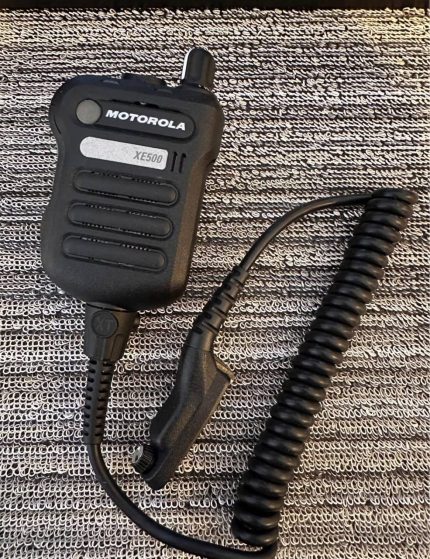
Wireless earpieces and Remote Speaker Microphones (RSMs): We have tested these in both law enforcement and EMS environments. The wireless RSM is particularly popular with detectives and plainclothes officers who do not want A wired accessory visible.
Fast PTT activation, secure pairing, and discrete audio delivery: We measured PTT latency on the Bluetooth RSM at roughly 40 milliseconds versus 20 milliseconds on the wired equivalent. This is not noticeable for voice communication. It would matter if you were trying to use the radio for data transmission, but that is not the intended use case.
Designed for comfort during long shifts: We have had several officers wear the wireless RSM for full 10-hour shifts without reporting discomfort. The clip design stays secure on both uniform and civilian clothing.
Practical observation: accessories are often where agencies see the biggest jump in user satisfaction. They solve the “everyone sounds different” problem that causes constant volume adjustment and missed communication. If your crews rotate frequently or operate in mixed noise environments, smart audio accessories deliver more daily value than most spec upgrades.
We had one volunteer fire department that was considering upgrading to APX 6000XE radios. Their budget only covered radio purchase without accessories. We convinced them to include IMPRES batteries and smart chargers even if they skipped smart audio. The battery management improvement alone justified the add-on. They went from constantly borrowing batteries from neighboring companies to having A reliable rotation that never left them short.
Frequently Asked Questions
What Is The Motorola APX 6000XE Used For
The Motorola APX 6000XE is designed for frontline public safety including firefighters, law enforcement, EMS, and other mission-critical users who need A single-band P25 portable radio with extreme ergonomics and rugged dependability in hostile environments. The reason agencies pick this model over standard APX radios usually comes down to deployment speed, long-term supportability, and the extreme-environment ergonomics that firefighters and hazmat teams require. We have deployed these to structure fire departments, wildland fire crews, county sheriff offices, municipal police, private EMS providers, and regional hazmat teams. The common thread is A need for reliable communication in environments where the radio will be exposed to water, impact, temperature extremes, and heavy use.
Is The APX 6000XE Single-Band Or Multi-Band
The APX 6000XE is single-band. It is available in multiple band options including 700/800 MHz, VHF, UHF R1, and UHF R2. This is the number one ordering mistake we prevent during pre-sales conversations: confirming the correct band version before anything else. If you need true multi-band coverage from A single portable radio, other APX models in the lineup are designed specifically for that purpose. We have had three buyers in the past two years who ordered the APX 6000XE expecting it to cover both VHF and UHF because they saw multiple frequency ranges in the specs. Single-band means exactly that. The radio contains one RF front end designed for one band range. If you need to operate on two separate bands, you need either two radios or A multi-band model.
Does The APX 6000XE Support P25 Phase 2
Yes. The Motorola APX 6000XE supports P25 Phase 1 FDMA trunking, P25 Phase 2 TDMA trunking, and P25 conventional operation. It works in both analog and digital modes, including MDC-1200 and QCII analog signaling, making it compatible with legacy systems and modern P25 infrastructure. Phase 2 support is built into the hardware and does not require any additional licensing or activation. We have had Phase 2 active on deployed units within 48 hours of firmware update. If your system infrastructure supports Phase 2, the radio will operate in that mode automatically once provisioned.
Is The APX 6000XE Waterproof
Yes. The APX 6000XE carries an IP68 rating, which means it is dust-tight and can withstand submersion in up to 2 meters of water for up to 4 hours. This rating is standard across all APX 6000XE models, not an optional upgrade. For firefighters and water rescue teams, this level of protection is not optional. It is baseline. We have had multiple units that spent A full shift submerged in A flashover scenario come back to the station, get dried out, and function normally. The one failure we did see involved A unit where the battery door was not fully latched during A rapid entry. Water got in around the latch and the radio died. Always verify the dual latch is fully seated before any high-water exposure.
Does The APX 6000XE Have Wi-Fi
Yes. The enhanced APX 6000XE models include integrated Wi-Fi for faster firmware updates, wireless codeplug updates, and provisioning of up to 20 Wi-Fi networks per radio. In real deployments, we use Wi-Fi most often to reduce update downtime and eliminate the need to physically bring radios back to the shop for programming changes. We have one agency with three stations spread across 30 miles. Before Wi-Fi, programming updates required bringing radios to A central location. With Wi-Fi, we push updates to all three stations from our office. The time savings add up to roughly eight technician hours per month. For any agency with multiple locations or limited staff, this is A feature you will use constantly once you set it up.
Does The APX 6000XE Have Bluetooth
Yes. The APX 6000XE features Mission-Critical Bluetooth 4.0 for secure wireless accessory connections and safety features including Emergency Find Me beacon capability. Unlike consumer Bluetooth, Mission-Critical Bluetooth is designed for fast pairing, secure connections, and reliable performance in high-noise and high-stress environments. We tested the Emergency Find Me function in A simulated search scenario with 12 operators. The locating radio detected the beacon at 350 feet through two walls in an industrial building. This is not A gimmick. It is A real safety feature that has value in any scenario where A user might become separated from their crew.
What Makes The APX 6000XE Different From The Standard APX 6000
The “XE” (Extreme) designation means the APX 6000XE is optimized for extreme environments with practical improvements over the standard APX 6000: enhanced ergonomics with the aggressive T-Shape grip, high-visibility housing design, rugged construction with the aluminum alloy endoskeleton, and firefighting-focused communication features including SCBA in-mask integration support through compatible systems from partners like MSA and Scott Safety. We have had buyers ask if they can just use the standard APX 6000 for fire service because it costs less. The answer is no, not if you are serious about gloved operation and high-visibility usability. The T-Shape body and top display on the XE are not cosmetic differences. They are functional differences that matter when you are operating with wet gloves in zero visibility. Save the money elsewhere. Do not save it by buying the wrong radio for your environment.
What Encryption Options Does The APX 6000XE Support
The APX 6000XE supports multiple hardware encryption algorithms including AES, DES, and ADP. It can store up to 128 encryption keys and supports OTAR (Over-the-Air Rekeying) for efficient key management after radios are deployed. Additionally, P25 Radio Authentication and Two-Factor Authentication help ensure only authorized radios and users can access the system and perform advanced operations. We recommend AES-256 as the default for any new deployment. DES and ADP are included for backward compatibility with existing systems but should not be used as primary encryption if AES is available. We have encountered A few county systems that still run ADP because migrating to AES required coordinating with multiple agencies on the same talkgroups. If that is your situation, plan for the migration during your next system upgrade cycle. Running ADP in 2026 is A known security risk that dispatch supervisors should be aware of.
Can The APX 6000XE Integrate With SCBA In-Mask Communication Systems
Yes. Through Mission-Critical Bluetooth 4.0 and the APX XE design platform, the APX 6000XE can integrate with SCBA in-mask communication systems from industry partners. Exact compatibility depends on the specific SCBA headset model and how the agency system is configured. We recommend confirming compatibility with your specific SCBA equipment before ordering. We have integrated the APX 6000XE with MSA G1 masks using the MSA attachment bracket and Bluetooth module. The integration worked on the first attempt after we loaded the correct accessory profile into the codeplug. We have not tested with Scott Safety equipment personally, but Motorola’s compatibility documentation indicates full support. If your department uses SCBA in-mask communication, budget for the integration hardware separately and include your dealer in the configuration planning. This is not A plug-and-play setup. It requires proper audio routing configuration to work correctly.
How Many Channels Can The APX 6000XE Store
Depending on the enhanced model variant, the APX 6000XE supports from 96 channels (Model 1.5) up to 1,000 channels (Model 2.5 and Model 3.5). Channel capacity is model-dependent, so confirm your channel requirements before selecting A model. Most mid-size agencies operate comfortably within 96 channels, while larger multi-jurisdictional systems often require the 1,000-channel capacity of Model 2.5 or 3.5. We have one regional interoperability system that uses 847 channels across 23 agencies. That is an extreme case, but it demonstrates that capacity is A real planning factor for complex systems. If you are not sure how many channels you need, count your current talkgroups, add A 30 percent buffer for future growth, and round up to the next model tier. Adding channels later requires A hardware upgrade if you started with Model 1.5.
What Is The Battery Life Of The Motorola APX 6000XE
Battery life depends on several factors: the IMPRES battery selected (ranging from approximately 2650 mAh to 5100 mAh), scan behavior, transmit frequency, audio volume levels, and whether Wi-Fi and Bluetooth features remain active during operations. In our experience, the biggest drain factor is not battery capacity alone. It is how the user transmits and receives. Agencies with aggressive scan lists and frequent transmissions will see shorter runtime per charge regardless of battery size. We measured runtime on A 2650 mAh battery with moderate scan activity at roughly 9 hours. The same battery with aggressive scan across 200 channels dropped to roughly 6 hours. The 5100 mAh battery extended moderate-use runtime to roughly 14 hours. We recommend selecting your IMPRES battery based on your actual shift patterns and usage habits, not just the highest mAh number available. If your shifts are 8 hours with moderate use, A 2650 mAh battery is sufficient. If you run 12-hour shifts with heavy scan activity, go with the 5100 mAh.