
Blog
Motorola APX 6000: Key Features Security Models Watts And Bluetooth
When your team is on the line, communication failure isn’t an option. The problem is that many radios aren’t built for the grit and chaos of real-world public safety operations. In our years of experience outfitting first responders, we’ve seen how the right tool can make all the difference. The Motorola APX 6000 has long been that tool—a mission-critical P25 portable radio designed for uncompromising reliability. This guide provides the expert insights you need to determine if it’s the right choice for your agency’s unique mission.

Key Takeaways
- User-Centric Models: The APX 6000 comes in three main variants (1.5, 2.5, 3.5), allowing agencies to match the radio’s interface directly to a user’s specific role and tasks.
- Uncompromising Security: With FIPS 140-2 Level 3 validated hardware encryption and Over-the-Air Re-keying (OTAR), the APX 6000 ensures your sensitive communications remain protected.
- Total Cost Awareness: The true cost of a radio extends beyond the sticker price. We break down the Total Cost of Ownership (TCO), including programming, batteries, and maintenance, for smarter budgeting.
- Future-Proofing Your Fleet: While the legacy APX 6000 is a workhorse, we compare it to the newer APX 6000XE and APX N-Series to help you make a strategic, long-term investment.
Table of Contents
Motorola APX 6000
The Motorola APX 6000 is a professional Project 25 (P25) portable radio engineered from the ground up for public safety. It is a single-band radio, meaning it is optimized to perform flawlessly on one specific frequency band (VHF, UHF, or 7/800 MHz). This focus has made it a trusted lifeline for law enforcement, firefighters, and EMS personnel who require absolute dependability in the most demanding environments.
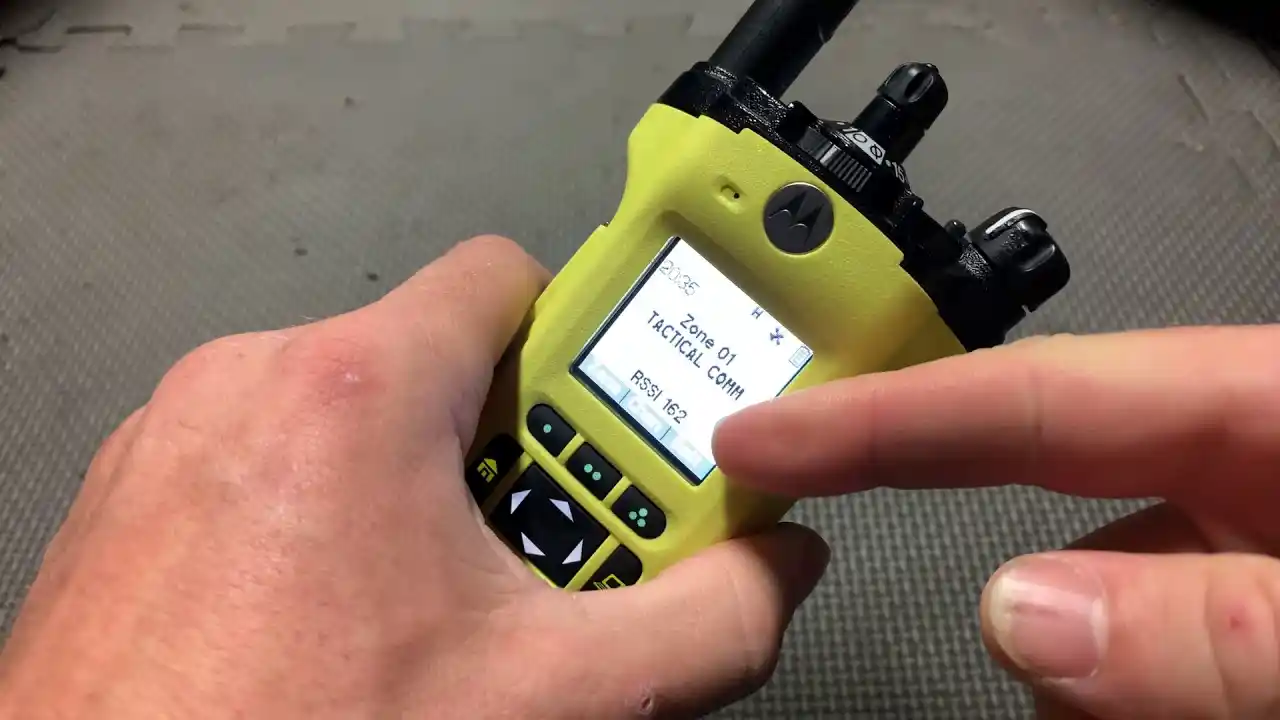
What we’ve always valued in the APX 6000 is its synthesis of ruggedness and intelligence. Its ergonomic T-shape design is easy to handle with gloves on, while its adaptive audio technology actively cancels out background noise. This ensures every transmission is heard clearly, whether over sirens or on a windy day. It’s more than a radio; it’s a critical piece of personal protective equipment. For agencies evaluating their options, we encourage you to contact us or browse available units to find the perfect Motorola APX 6000 model for your team.
What Are The Key Features Of The Motorola APX 6000?
The APX 6000’s feature set is a direct response to the challenges of field operations. It supports P25 Phase 2 TDMA, which doubles voice capacity—a crucial benefit for crowded systems. The radio is also built like a tank, with MIL-STD-810 and IP67 ratings, ensuring it survives drops, dust, and full water immersion.
Battery Life and Shift Management
A radio is useless with a dead battery. In our experience, managing battery life is a critical daily task. The APX 6000 supports several battery options, and understanding them is key to ensuring uninterrupted operation throughout a 12-hour shift and beyond.
| Battery Type | Typical Shift Life (5/5/90 Duty Cycle) | Best Practice for Users |
|---|---|---|
| Standard Li-Ion | 8-10 Hours | Ideal for standard patrol; carry a spare for extended incidents. |
| High-Capacity Li-Ion | 10-12+ Hours | The best choice for long shifts or high-transmission roles. |
| IMPRES 2 Smart Battery | 10-12+ Hours | Provides accurate battery health data to chargers, optimizing life. |
What Model Variants Does The APX 6000 Come In?
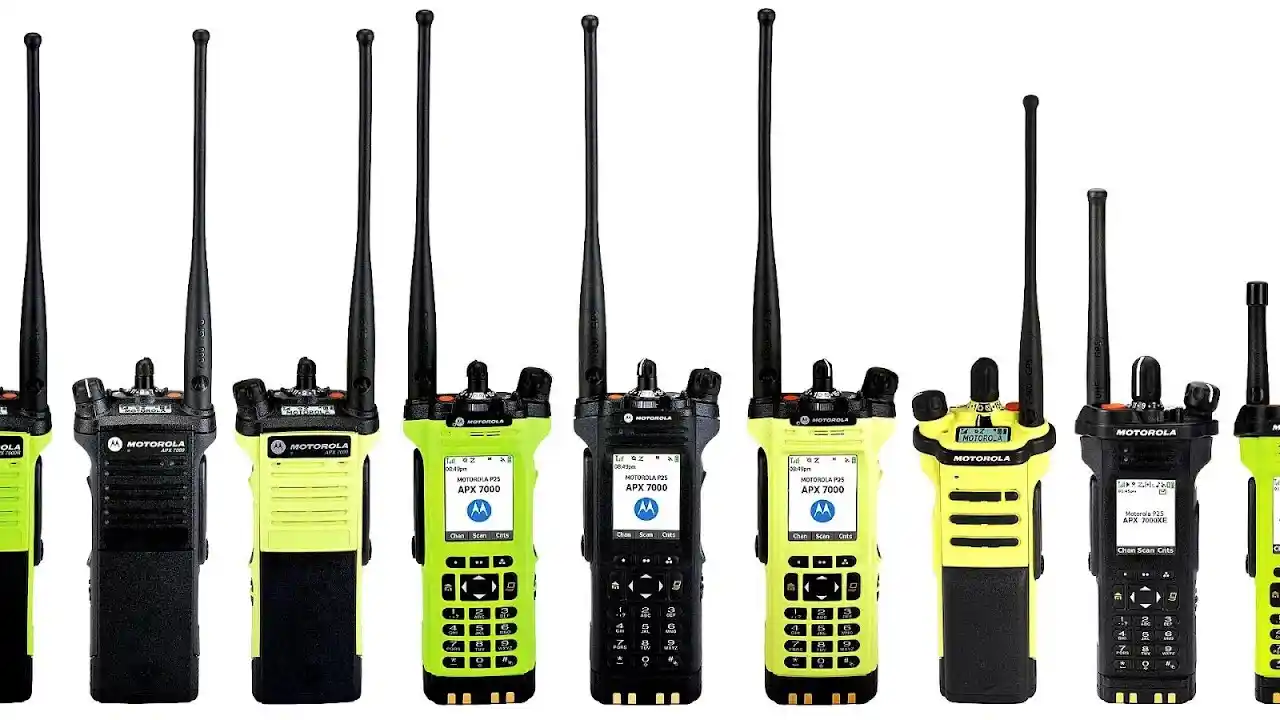
Choosing the right model variant is the most important decision you’ll make. The APX 6000 is not a one-size-fits-all device. Motorola offers three main tiers to match the hardware to the user’s role. A designation like “APX 6000/2.5” simply refers to Model 2.5.
Branching Quiz: Find Your Perfect APX 6000 Model
Answer these questions to see which model we would recommend for your role.
Question 1: What is your primary role?
- A) Basic operations, security, or event staff where simple push-to-talk is all I need.
- B) Standard patrol officer or firefighter who needs to see the current channel and navigate basic menus.
- C) Supervisor, detective, or tactical operator who needs to send text messages and have full control.
- D) Firefighter or industrial user working in potentially explosive environments.
If you chose A, your primary need is simplicity. We recommend the Model 1.5.
If you chose B, you need a balance of simplicity and information. We recommend the Model 2.5.
If you chose C, you are a power user who needs full control. We recommend the Model 3.5.
If you chose D, your top priority is safety certification. We recommend the APX 6000XE (Intrinsically Safe model).
Is Your Radio Failing In Critical Moments?
Poor communication can put lives at risk. Discover how the APX 6000 ensures crystal-clear audio and reliability in the toughest environments.
How Secure Is The APX 6000?
Communication security is paramount. The APX 6000’s security is built on a foundation of FIPS 140-2 Level 3 validated hardware encryption. This is far superior to software-based encryption because the cryptographic module is an isolated, tamper-resistant component. It supports multiple algorithms, including 256-bit AES, to protect against sophisticated eavesdropping.
A key operational feature is Over-the-Air Re-keying (OTAR). In the past, re-keying a fleet meant physically collecting every radio. With OTAR, your radio technician can securely push new encryption keys out over the network, saving hundreds of hours and ensuring your fleet’s security is never compromised.
How Many Watts Is The Motorola APX 6000?
The radio’s power output dictates its range. The APX 6000’s wattage is variable and depends on its frequency band. Higher wattage generally means longer range in open areas, but higher frequencies (with lower wattage) are often better at penetrating buildings.
- VHF (136-174 MHz): 1-5 Watts
- UHF (380-520 MHz): 1-5 Watts
- 700/800 MHz (764-870 MHz): 1-3 Watts
In practice, a 5-watt VHF radio is excellent for rural counties, while a 3-watt 800 MHz radio provides superior coverage inside concrete structures in a dense city.
Is The APX 6000 Compatible With Older Systems?
Yes, and this is a major reason for its popularity. We understand that agencies cannot afford to replace everything at once. The APX 6000 is designed for this reality. It is fully backward-compatible with older P25 Phase 1 systems, allowing you to integrate new radios into your existing fleet seamlessly. This protects your past investments while providing a smooth, gradual upgrade path to the more efficient P25 Phase 2 technology.
Can The Motorola APX 6000 Be Tracked?
Yes, the APX 6000 has integrated GPS for real-time location tracking. This allows command staff to see personnel locations on a map, which is invaluable for coordinating complex scenes. More importantly, it features an Emergency Find Me function. When a user hits the emergency button, the radio can transmit a Bluetooth beacon that other nearby APX radios can detect, helping teams locate a downed officer in low-visibility or GPS-denied environments like a basement.
What Are The APX 6000 Bluetooth Pairing Capabilities?
The integrated Bluetooth 2.1 is a game-changer for any user who needs their hands free. It allows you to connect wireless accessories, eliminating cords that can snag on gear. This is especially critical for tactical teams and firefighters. The pairing process is straightforward through the radio’s menu, allowing you to connect mission-critical audio accessories.
Essential APX 6000 Accessory Ecosystem
| Accessory Category | Examples | Primary Use Case |
|---|---|---|
| Audio | Wireless Earpieces, Remote Speaker Mics (RSM) | Hands-free and discreet communication. |
| Charging | IMPRES 2 Multi-Unit Charger, Vehicular Charger | Rapid, intelligent charging and battery fleet management. |
| Carrying | Leather Holsters, Shoulder Straps | Securely carrying the radio while keeping it accessible. |
What Buttons Does The Motorola APX 6000 Have And What Do They Do?
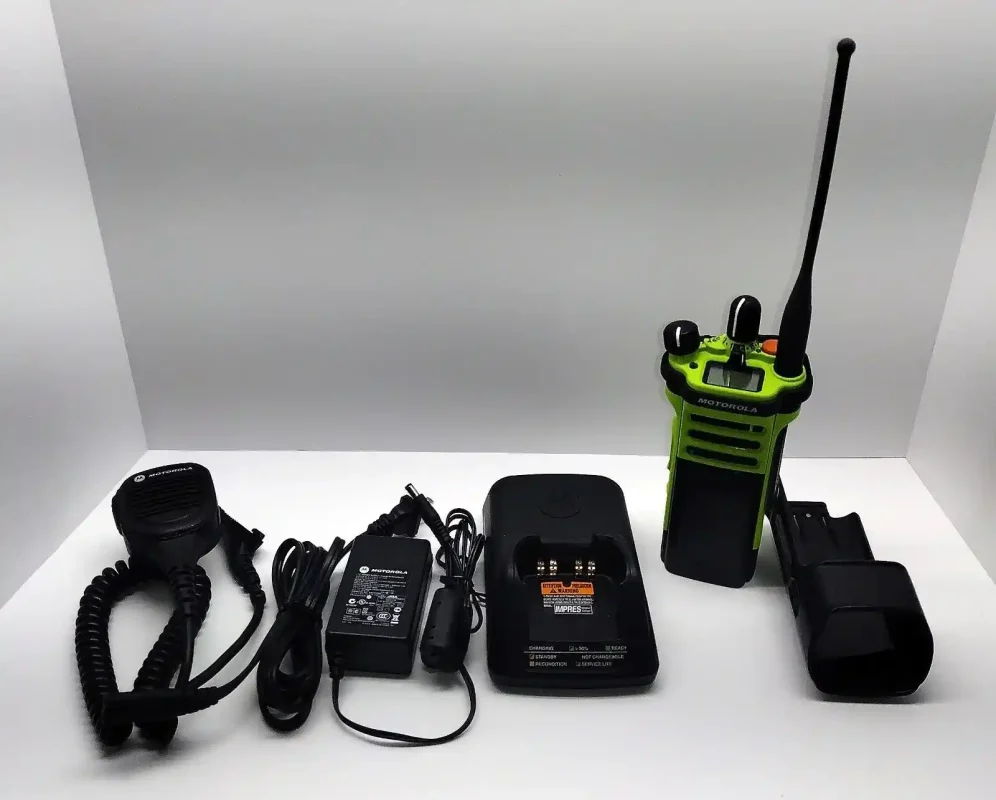
The APX 6000 is designed for muscle memory. The top orange button is almost universally programmed as the emergency alert. The side purple button is programmable for other high-use functions, like activating scan or toggling to a priority channel. This programmability is key—it puts your most critical functions one press away.
How To Turn The Motorola APX 6000 On And Off
Turning the radio on and off is done with the top volume knob. Rotate it clockwise to power on and counter-clockwise to power off. A distinct click and a power-on tone confirm the action.
How To Lock And Unlock The Keypad On The Motorola APX 6000
On models 2.5 and 3.5, you can lock the keypad to prevent accidental presses. This is typically done by pressing the Menu key followed by the asterisk (*). This simple function prevents inadvertent channel changes during a critical moment.
How To Program The Motorola APX 6000?
Every APX 6000 must be programmed with a “codeplug” file before use. This is done with Motorola’s licensed Customer Programming Software (CPS). While some large agencies have in-house technicians, we find that most organizations benefit from professional programming services. An incorrect setting can compromise communication or security.
Programming: DIY vs. Professional Service
| Factor | DIY Programming | Professional Service |
|---|---|---|
| Cost | Lower initial cost (software license). | Higher upfront cost. |
| Risk | High risk of errors, security flaws, or misconfigurations. | Low risk; performed by certified, experienced technicians. |
| Time | Very time-consuming; steep learning curve. | Fast and efficient; radios are deployed mission-ready. |
| Best For | Very large agencies with dedicated, trained radio staff. | Most agencies who prioritize reliability and security. |
Where Can You Find The Motorola APX 6000 For Sale And What Is The Price?
New units are best sourced from an authorized dealer. The used market is also an option, but it requires caution. The price is only one part of the equation. To make an informed financial decision, you must consider the Total Cost of Ownership (TCO).
| Cost Component | Description | Why It Matters |
|---|---|---|
| Unit Price | The initial cost of the radio hardware. | Varies by model, condition, and features. |
| Software Licenses | Fees for advanced features like Phase 2 or GPS. | Often overlooked; can add significant cost per radio. |
| Programming/Setup | Labor cost to configure the radios for your system. | Essential for proper function and security. |
| Batteries/Chargers | Cost of batteries and charging infrastructure. | Batteries have a finite life and are a recurring expense. |
| Maintenance | Extended warranties and repair costs. | Protects your investment over its 5-7 year lifespan. |
Is The Motorola APX 6000 Discontinued And What Has Replaced It?
Yes, the original legacy APX 6000 models are no longer in production. While they are still excellent radios, long-term support is shifting to newer models. Understanding the evolution is key to future-proofing your investment.
APX 6000 Legacy vs. Modern Successors
| Model | Key Characteristic | Best For |
|---|---|---|
| Legacy APX 6000 | Proven, reliable, and widely available on the used market. | Agencies on a tight budget needing proven P25 performance now. |
| APX 6000XE | More rugged, better ergonomics, and often Intrinsically Safe (IS). | Fire departments and users in harsh industrial environments. |
| APX N-Series | Next-generation with LTE, advanced software features, and cloud-based programming. | Agencies planning for next-gen comms and data integration. |
What Do Yellow And Green Color Variants Of Motorola Radios Indicate?
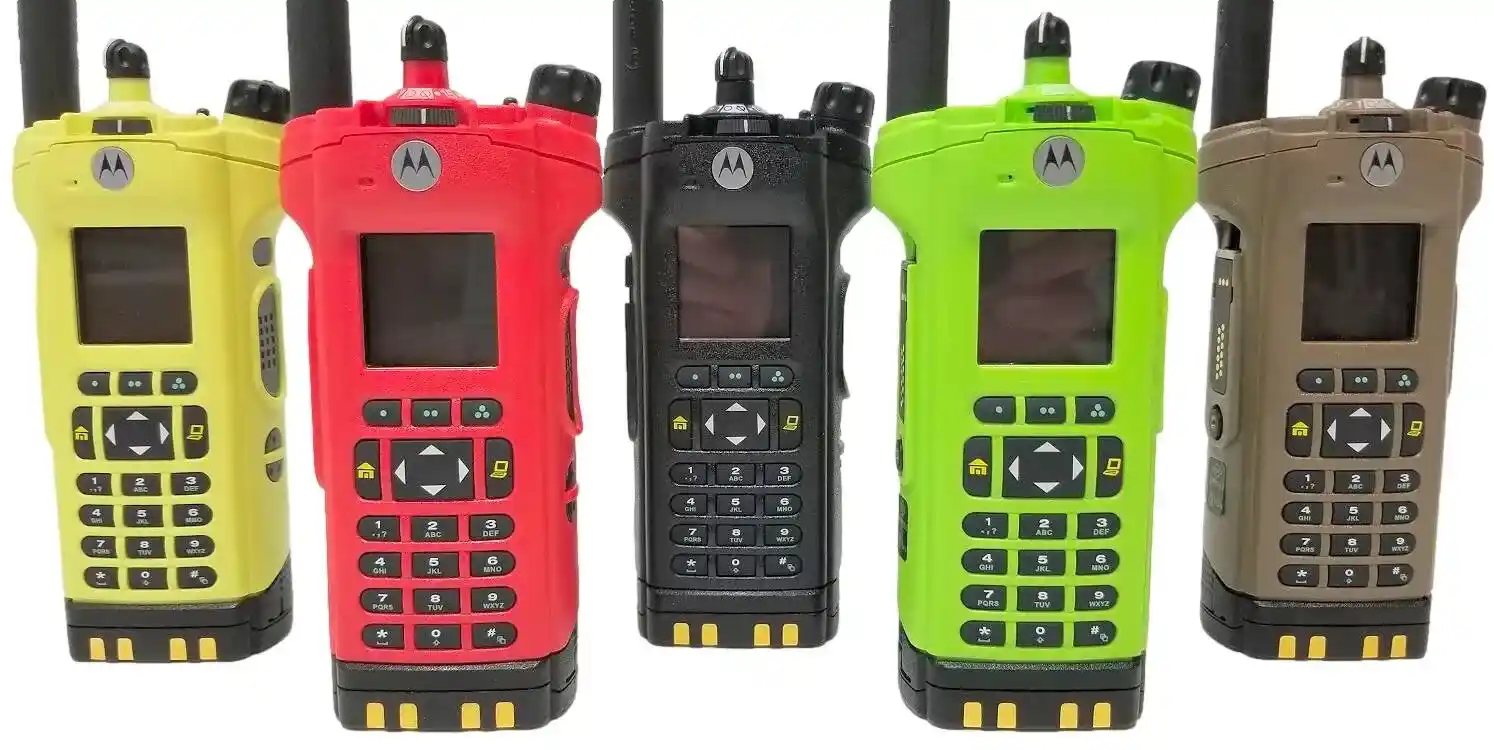
Color coding provides instant visual identification. Yellow almost always indicates an Intrinsically Safe (IS) radio, certified for use in explosive atmospheres—a must-have for fire services. Green is often used by forestry, conservation, or specific federal agencies for easy identification.
Common Field Issues & Quick Fixes
| Issue | Possible Cause | Quick Fix to Try |
|---|---|---|
| Garbled/Static Audio | Out of range, or a weak spot in coverage. | Move to a higher elevation or closer to a window. Check antenna connection. |
| “Bonk” Sound on Transmit | System is busy, or you are not affiliated with the tower. | Wait a few seconds and try again. Power cycle the radio. |
| Fails to Power On | Dead or unseated battery. | Reseat the battery firmly. Swap with a known good, charged battery. |
Frequently Asked Questions About Motorola APX 6000
What Is The Motorola APX 6000 And Is It Worth Buying For Public Safety?
The Motorola APX 6000 is a professional P25 portable radio designed for mission-critical use. In our expert opinion, it remains a solid choice, especially on the refurbished market, for agencies needing proven reliability. However, for long-term needs, we recommend evaluating the newer APX models.
How Secure Is The APX 6000 And What Encryption Does It Support?
The APX 6000 is exceptionally secure. It uses FIPS 140-2 Level 3 validated hardware encryption and supports standards like 256-bit AES. Its OTAR capability allows for efficient remote re-keying, which is a critical feature for maintaining a secure fleet.