Blog
Motorola Radio Programming: Channels Tones General Process Two-Way
I’ve watched operations grind to a halt because Motorola radios weren’t programmed correctly. Silence on the channel or interference from strangers creates safety risks and costly delays. You need precise configuration to ensure your team communicates reliably. This guide shows you the programming process, tools, and compliance steps so you can decide whether to handle setup yourself or hire a certified professional.

Key Takeaways
- Motorola radios require programming to define channels, frequencies, and tones before they can communicate with your fleet.
- FCC licensing is mandatory for most business frequencies; operating without a valid license risks significant fines.
- Professional programming ensures codeplug backups, firmware compatibility, and interference-free operation across your team.
Table of Contents
Motorola Radio Programming
I define Motorola radio programming as configuring the radio’s codeplug, the internal file that stores all operational settings. Without a properly written codeplug, your radio cannot transmit or receive on your designated channels. I always begin by reading the existing codeplug to create a backup. This step preserves your current configuration and allows quick recovery if new settings cause issues.
Table 1: Core Programming Elements
| Element | Function | Example Configuration |
|---|---|---|
| Channel | Selectable communication path | Channel 1: Operations, Channel 2: Security |
| Frequency | Radio wave carrier for transmission | 462.5625 MHz (UHF Business Band) |
| Tone | Filters unwanted calls on shared frequencies | CTCSS 67.0 Hz or DCS 023 |
| Zone | Groups channels for easier navigation | Zone A: Warehouse, Zone B: Office |
I also implement codeplug version control. I name backups with date and version numbers so I can track changes over time. This practice prevents confusion when managing multiple radios across different departments.
Do Motorola Radios Need To Be Programmed?
Yes. I’ve tested unprogrammed business radios, and they simply will not communicate with your existing fleet. Professional models ship with blank or default codeplugs that do not match your operational frequencies. Consumer walkie-talkies often use fixed FRS/GMRS channels and require no setup, but business-grade units demand precise configuration.
I must clarify a common myth: CTCSS and DCS tones are not encryption. These privacy codes only filter unwanted audio on shared frequencies. Anyone monitoring the same frequency without a tone can still hear your transmissions. If you need true privacy, I recommend programming digital encryption features available on MOTOTRBO models.
Can I Program My Own Motorola Radio?
I’ve programmed hundreds of radios, and I can tell you DIY is possible but carries real risks. You need the correct Customer Programming Software (CPS), a compatible data cable, and technical knowledge of radio parameters. If you make errors, you risk creating interference or disabling the radio entirely.
Table 2: DIY Vs Professional Programming
| Factor | DIY Approach | Professional Service |
|---|---|---|
| Technical Risk | High; errors can disable radios | Low; certified technicians manage setup |
| Compliance | You verify FCC license match | Dealer ensures frequency coordination |
| Time Investment | Hours to learn CPS and configure | Turnaround typically 24-48 hours |
| Support | Limited to forums and manuals | Includes warranty and ongoing support |
I’ve seen users “brick” radios by interrupting the write process or using mismatched firmware. Recovery often requires a dealer’s flashport tool to reload the operating system. For critical operations, I recommend professional programming to ensure reliability and warranty compliance.
Are Your Radios Properly Programmed for Clear Communication?
Misconfigured radios can cause interference, silence, and costly downtime. Discover how correct programming ensures reliable, secure communication across your entire team.
What Software Is Used To Program Motorola Radios?
I use MOTOTRBO CPS for digital business radios and APX CPS for public safety models. Each radio family requires its specific software. I always verify that the CPS version matches the radio’s firmware level. Mismatched versions cause compatibility errors and can prevent successful writes.
How To Get Motorola Cps Software?
I obtain CPS through authorized Motorola dealer portals. Business Radio CPS for smaller models may be available for download, but enterprise versions require partner credentials. [External Link: “Motorola support portal” -> Official Motorola business support resources]. I never download software from unofficial sites. Third-party sources often host modified files that can contain malware and void your hardware warranty.
Is Motorola Programming Software Free?
Costs vary by model and region. I’ve seen Business Radio CPS offered at no charge, while MOTOTRBO CPS may require a license purchase or dealer subscription. Motorola updates licensing structures periodically, so I verify current pricing with authorized partners before proceeding.
Fact Check: CPS licensing and availability depend on radio tier and geographic region. Always confirm current costs and access requirements with an authorized Motorola dealer.
I also consider the ROI of professional programming. If a misconfiguration causes an hour of downtime in your warehouse, the cost of lost productivity often exceeds the fee for expert setup. Professional services provide peace of mind and ongoing support.

How To Program A Motorola Radio Step By Step
I follow a strict workflow to ensure accuracy and safety. First, I gather the programming cable, compatible computer, and correct CPS version. I install drivers before connecting the radio so the system recognizes the device immediately.
Expert Tip: Label your programming cable clearly. Charging cables look identical but lack data wires. Using a charge-only cable will cause connection failures.
I read the existing codeplug, make necessary edits, and verify all parameters before writing. After the write completes, I test each channel for audio clarity and proper tone squelch behavior.
How To Connect The Radio To The Computer
I use a Motorola-approved programming cable specific to the radio model. USB cables are standard for modern units, while older models may require serial adapters. I check Device Manager to confirm the radio appears as a communication port.
Table 3: Cable Compatibility Guide
| Radio Series | Connector Type | Cable Part Number Example |
|---|---|---|
| MOTOTRBO XPR | Multi-Pin | PMKN4012B (USB) |
| APX Series | Multi-Pin | PMKN4010B (USB) |
| Business Radio | Mini-USB | HKKN4027A (USB) |
[HUMAN REVIEW NEEDED: Search for latest cable part numbers for XPR 7550e and APX series to ensure accuracy]
A frequent issue I encounter is users attempting to program with standard charging cables. These cables cannot transmit data. I always verify the cable is labeled for programming use before starting.
How To Configure Channels, Zones, And Features
Within CPS, I assign frequencies to channels and group them into zones for logical organization. I configure tones to filter unwanted traffic and adjust feature settings like scan lists and squelch levels. I also enable battery saver mode in the codeplug. This feature reduces power draw during idle periods, extending battery life through long shifts.
I set up scan lists so supervisors can monitor multiple channels simultaneously. For mixed fleets, I program digital radios to analog mode on shared channels. This ensures backward compatibility with older analog units during upgrade transitions.
How To Write New Settings To The Radio
I click the Write function in CPS and wait for the confirmation message. Do not disconnect the radio during this process. Interrupting a write can corrupt the codeplug and disable the radio. Once complete, I verify the write succeeded and test transmission on each channel.
If the write fails, I check cable connections, driver status, and CPS version compatibility. I retry with a different USB port if necessary. Persistent failures may indicate a firmware mismatch requiring dealer intervention.
How To Program Motorola Radio Frequencies
I verify all frequencies against your FCC license. You can search your call sign in the FCC ULS database to confirm authorized frequencies and power limits. Using frequencies outside your license risks fines exceeding $20,000 per violation.
Table 4: Frequency Band Types
| Band Type | License Required | Typical Use Case |
|---|---|---|
| MURS | No | Small retail, light outdoor use |
| FRS/GMRS | GMRS requires license | Consumer, family, small teams |
| Business/Industrial | Yes | Warehouses, security, events |
I also check for regional differences. Frequencies authorized in the US may not be permitted in Canada or Europe. For multi-site operations, I ensure each location’s codeplug matches local regulatory requirements.
How To Sync Motorola Walkie-Talkies To Each Other
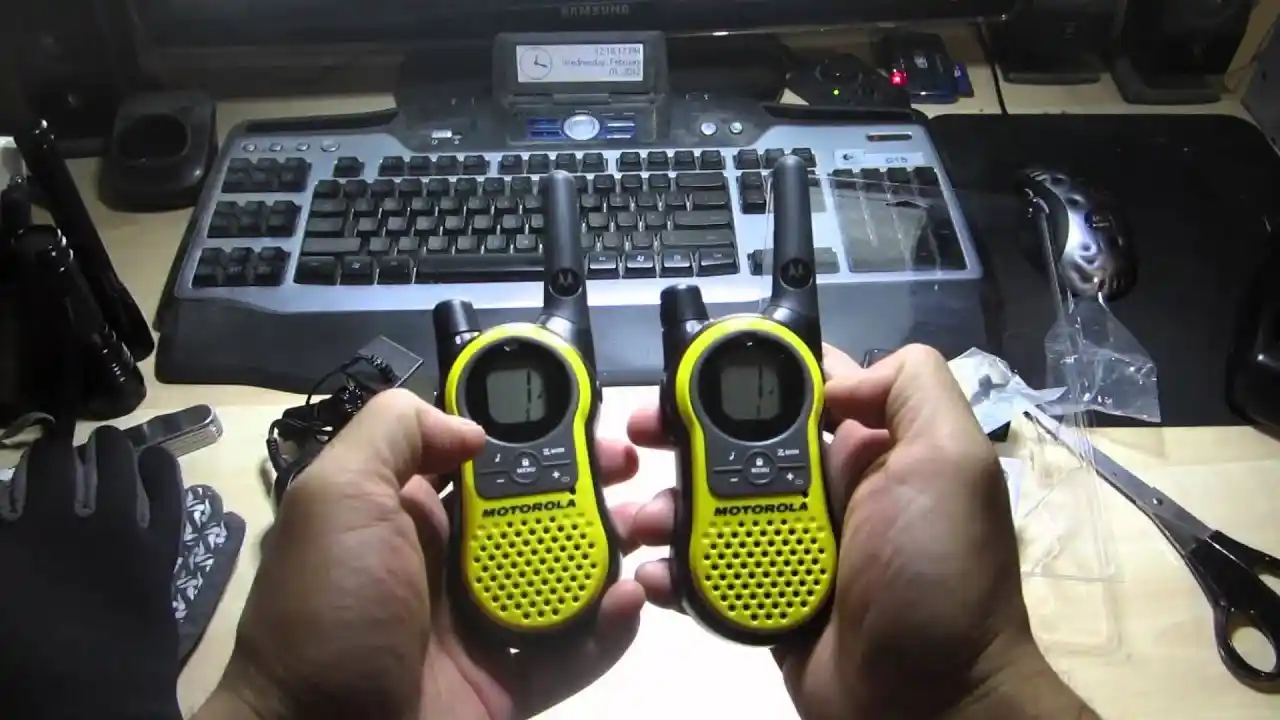
To sync radios, I program identical frequencies and matching CTCSS or DCS codes on each unit. I ensure bandwidth settings (narrow vs wide) and digital/analog modes are consistent. I test by transmitting from one radio and confirming clear reception on all others.
For fleets requiring uniform configuration, I recommend bulk programming from a certified dealer. This ensures every radio shares the same codeplug structure, reducing user error and simplifying future updates.
Can Different Model Motorola Walkie-Talkies Work Together?
Different models can communicate if they share the same frequency, bandwidth, and signaling codes. I’ve synced XPR series radios with older CP200 units by programming analog channels with matching tones. Digital features like text messaging and GPS will not function between incompatible models.
I always verify compatibility before mixing radio families. Digital talk groups and encryption require matching protocols across all units.
How To Program The Motorola XPR 7550e
The XPR 7550e is a digital MOTOTRBO radio requiring MOTOTRBO CPS for configuration. I configure digital talk groups, contact lists, and Bluetooth audio settings. I also enable GPS location services if your operation requires tracking.
I ensure the CPS version supports the radio’s firmware to access all features. After programming, I test digital audio quality and data functions to confirm full functionality. I also verify Bluetooth pairing with headsets and accessories.
Motorola Radio Programming Services Near Me
Professional programming services provide accurate configuration, FCC compliance verification, and codeplug backups. I recommend authorized Motorola dealers for complex setups and fleet management. They offer on-site support, warranty-compliant configurations, and rapid response for critical issues.
To find certified services, search for authorized partners in your region. Working with a local dealer ensures accountability and ongoing support for your communication infrastructure.
Frequently Asked Questions About Motorola Radio Programming
What Is Motorola Radio Programming And How Does It Work?
Motorola radio programming configures a radio’s codeplug with channels, frequencies, tones, and features using CPS software. The process ensures radios communicate reliably within your network while meeting regulatory requirements.
What Software Is Used To Program Motorola Radios?
Motorola radios use Customer Programming Software (CPS) specific to each radio family, such as MOTOTRBO CPS or APX CPS. Software must be obtained through authorized channels to ensure compatibility and security.